
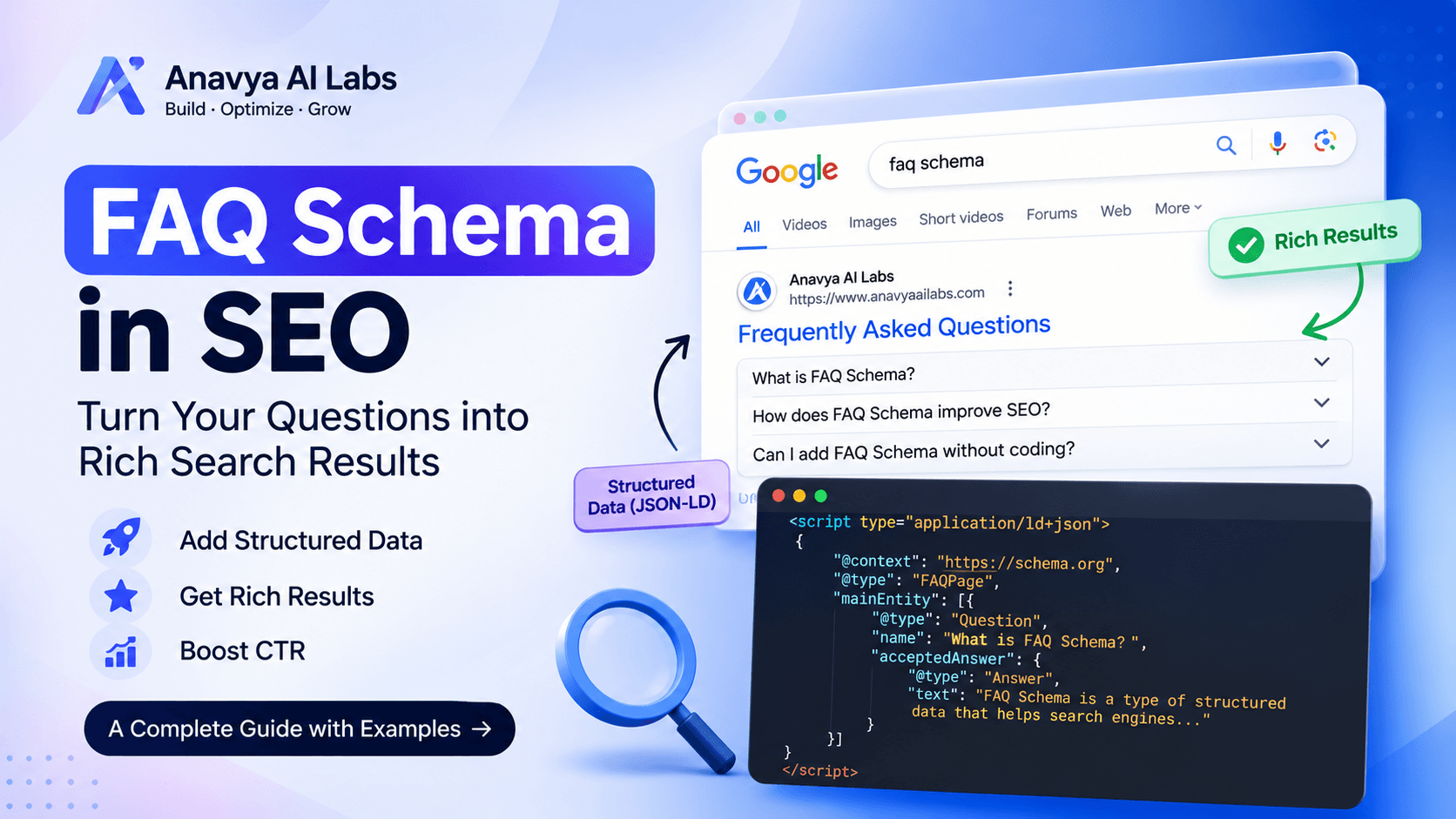
FAQ schema is a small block of structured data that describes the questions and answers on a page. When it is written correctly and matches the visible content, it helps search engines and other systems understand the page's structure. It also makes the page's questions and answers easier to extract, which matters as more search results and AI answers draw on structured information.
This tutorial explains what FAQ schema is, how it is structured, how to add it to a page, and how to validate it. It includes a complete working example in JSON-LD, the format Google recommends, and a Next.js implementation you can adapt to your own project.
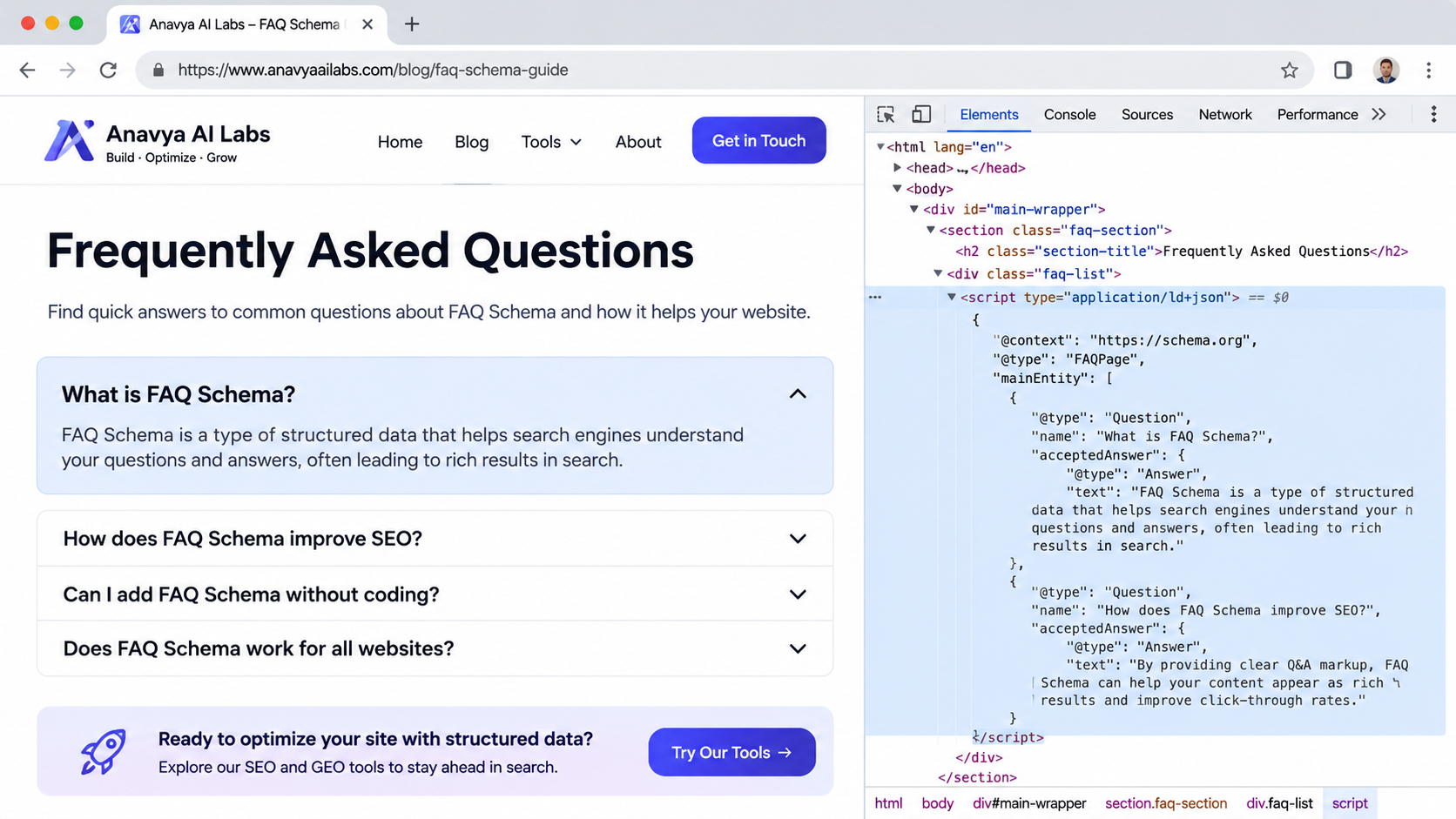
FAQ schema describes the questions and answers already shown on the page, in a format machines can read.
What FAQ Schema Is
FAQ schema uses the FAQPage type from the schema.org vocabulary. It describes a page whose main content is a list of questions, each with an answer. The vocabulary is shared by search engines and other systems, so the same markup can be read by several of them.
FAQ schema is written most often as JSON-LD, a script block placed in the page's HTML. JSON-LD is separate from the visible content, which makes it easier to maintain and less likely to break the layout. Google recommends JSON-LD for structured data.
Two points set expectations. First, FAQ schema describes content that must already be visible on the page. Second, the existence of the markup does not guarantee any particular search feature. Google has limited which sites can receive FAQ rich results in search, so the markup should be treated as an accurate description of your content rather than a promise of a visual result. Check Google's current documentation for the latest eligibility rules before you plan around any specific display.
The Required Structure
FAQ schema has a simple structure. The page is described as an FAQPage. Its mainEntity property contains an array of Question objects. Each Question has a name, which is the question text, and an acceptedAnswer, which is an Answer object with a text property containing the answer.
The skeleton looks like this:
{
  "@context": "https://schema.org",
  "@type": "FAQPage",
  "mainEntity": [
    {
      "@type": "Question",
      "name": "The question text",
      "acceptedAnswer": {
        "@type": "Answer",
        "text": "The answer text"
      }
    }
  ]
}
Each property has a specific role. The @context declares the vocabulary. The @type identifies the kind of page or object. The name on the question must match the question as it appears on the page. The text on the answer must match the answer as it appears on the page, although it can contain plain text or limited HTML, depending on the format you use.
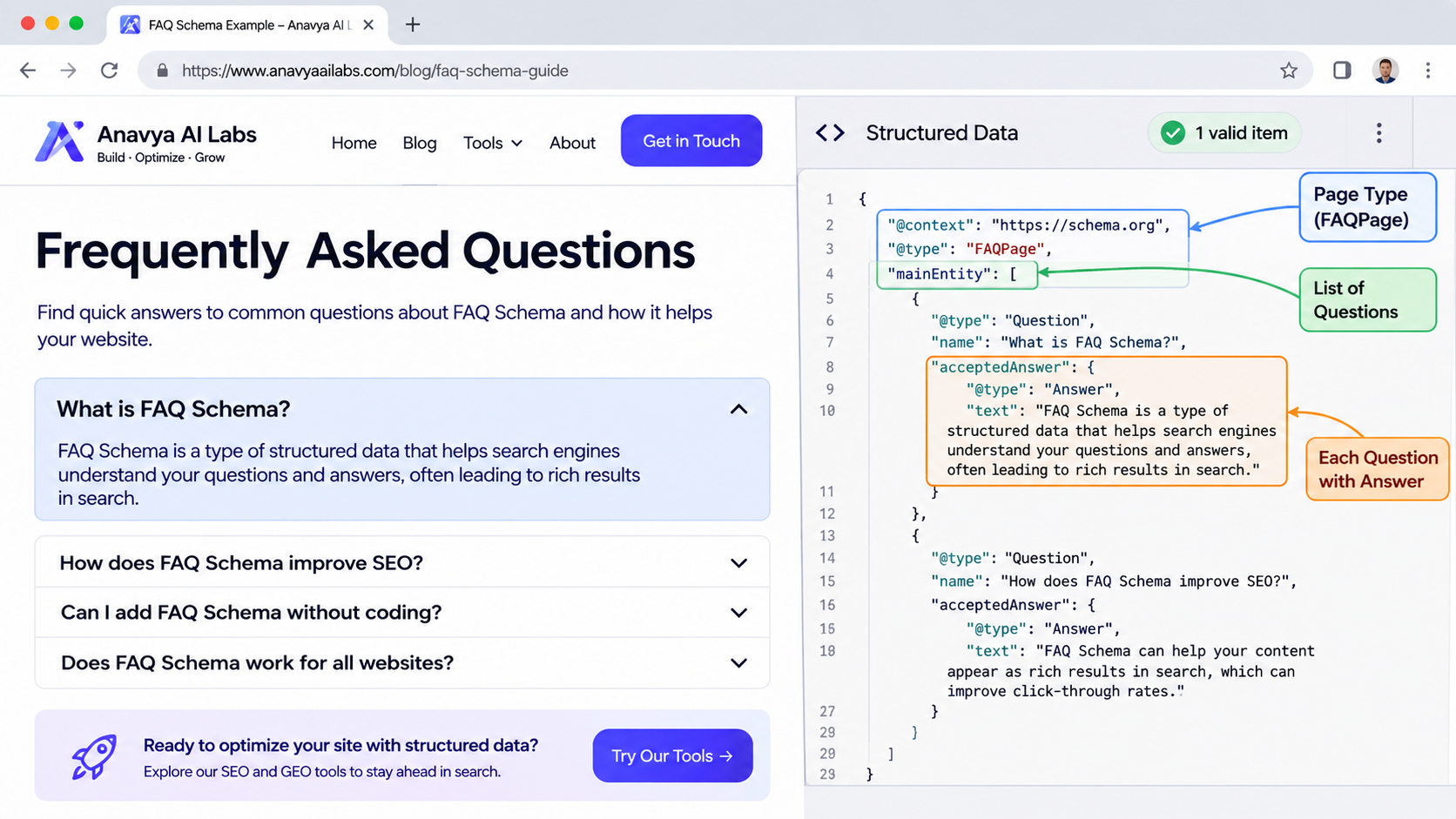
Each question contains a name and an accepted answer, and all of them sit inside the mainEntity list.
A Complete Working Example
The example below describes a page about shipping, with three questions. The content is written in plain language, so you can see how each part connects to the visible page.
{
  "@context": "https://schema.org",
  "@type": "FAQPage",
  "mainEntity": [
    {
      "@type": "Question",
      "name": "How long does standard shipping take?",
      "acceptedAnswer": {
        "@type": "Answer",
        "text": "Standard shipping usually takes three to five business days within the continental United States. Orders placed before 2 p.m. Eastern time are processed the same day."
      }
    },
    {
      "@type": "Question",
      "name": "Do you ship internationally?",
      "acceptedAnswer": {
        "@type": "Answer",
        "text": "Yes. International shipping is available to most countries. Delivery times vary by destination, and customs fees are the responsibility of the buyer."
      }
    },
    {
      "@type": "Question",
      "name": "Can I change my shipping address after placing an order?",
      "acceptedAnswer": {
        "@type": "Answer",
        "text": "You can change the shipping address within one hour of placing the order by contacting support. After that, the order may already be packed and the address cannot be changed."
      }
    }
  ]
}
Notice what makes this example work. Each question is a complete sentence that a visitor would actually ask. Each answer is accurate, specific, and short enough to be read in a few seconds. The text in the schema matches the wording on the page, and the page itself contains these three questions and answers. Nothing is hidden, and nothing is added for search engines alone.
The example uses straight quotes and standard punctuation. If your answers contain quotation marks, escape them correctly inside the JSON string, or generate the JSON with code so escaping is handled for you.
Adding the Markup to a Web Page
There are two common approaches. The first places the JSON-LD block directly in the HTML of the page, inside a script tag with the type set to application/ld+json:
<script type="application/ld+json">
{
  "@context": "https://schema.org",
  "@type": "FAQPage",
  "mainEntity": [ ... ]
}
</script>
The second generates the same block from your content management system or application code, so that the schema is built from the same data that renders the visible FAQ. This second approach is usually better, because it keeps the markup and the page in sync. When someone edits a question on the page, the schema changes with it, reducing the risk of mismatch.
If you use a framework, the principle is the same, but the implementation depends on how the page is rendered.
A Next.js Implementation
In the Next.js App Router, you can build the schema from the same array that renders the FAQ on the page. The following example defines the questions once and uses them for both the visible list and the JSON-LD block.
// app/shipping/page.tsx
const faqs = [
  {
    question: "How long does standard shipping take?",
    answer:
      "Standard shipping usually takes three to five business days within the continental United States. Orders placed before 2 p.m. Eastern time are processed the same day.",
  },
  {
    question: "Do you ship internationally?",
    answer:
      "Yes. International shipping is available to most countries. Delivery times vary by destination, and customs fees are the responsibility of the buyer.",
  },
  {
    question: "Can I change my shipping address after placing an order?",
    answer:
      "You can change the shipping address within one hour of placing the order by contacting support. After that, the order may already be packed and the address cannot be changed.",
  },
];

function buildFaqSchema(items: { question: string; answer: string }[]) {
  return {
    "@context": "https://schema.org",
    "@type": "FAQPage",
    mainEntity: items.map((item) => ({
      "@type": "Question",
      name: item.question,
      acceptedAnswer: {
        "@type": "Answer",
        text: item.answer,
      },
    })),
  };
}

export default function ShippingPage() {
  const schema = buildFaqSchema(faqs);
  const json = JSON.stringify(schema).replace(/</g, "\\u003c");

  return (
    <main>
      <h1>Shipping FAQ</h1>

      {faqs.map((faq) => (
        <section key={faq.question}>
          <h2>{faq.question}</h2>
          <p>{faq.answer}</p>
        </section>
      ))}

      <script
        type="application/ld+json"
        dangerouslySetInnerHTML={{ __html: json }}
      />
    </main>
  );
}
Three details in this code are worth noting.
The schema and the visible list both come from the faqs array, so they cannot drift apart. If you update an answer, both change together.
The buildFaqSchema function produces a valid structure with the required properties. It keeps the schema logic in one place, so it is easy to test and reuse across pages.
The line that replaces < with its Unicode escape prevents the JSON from closing the script tag early if an answer happens to contain that character. This is a safety measure that matters when content comes from an editor or a database.
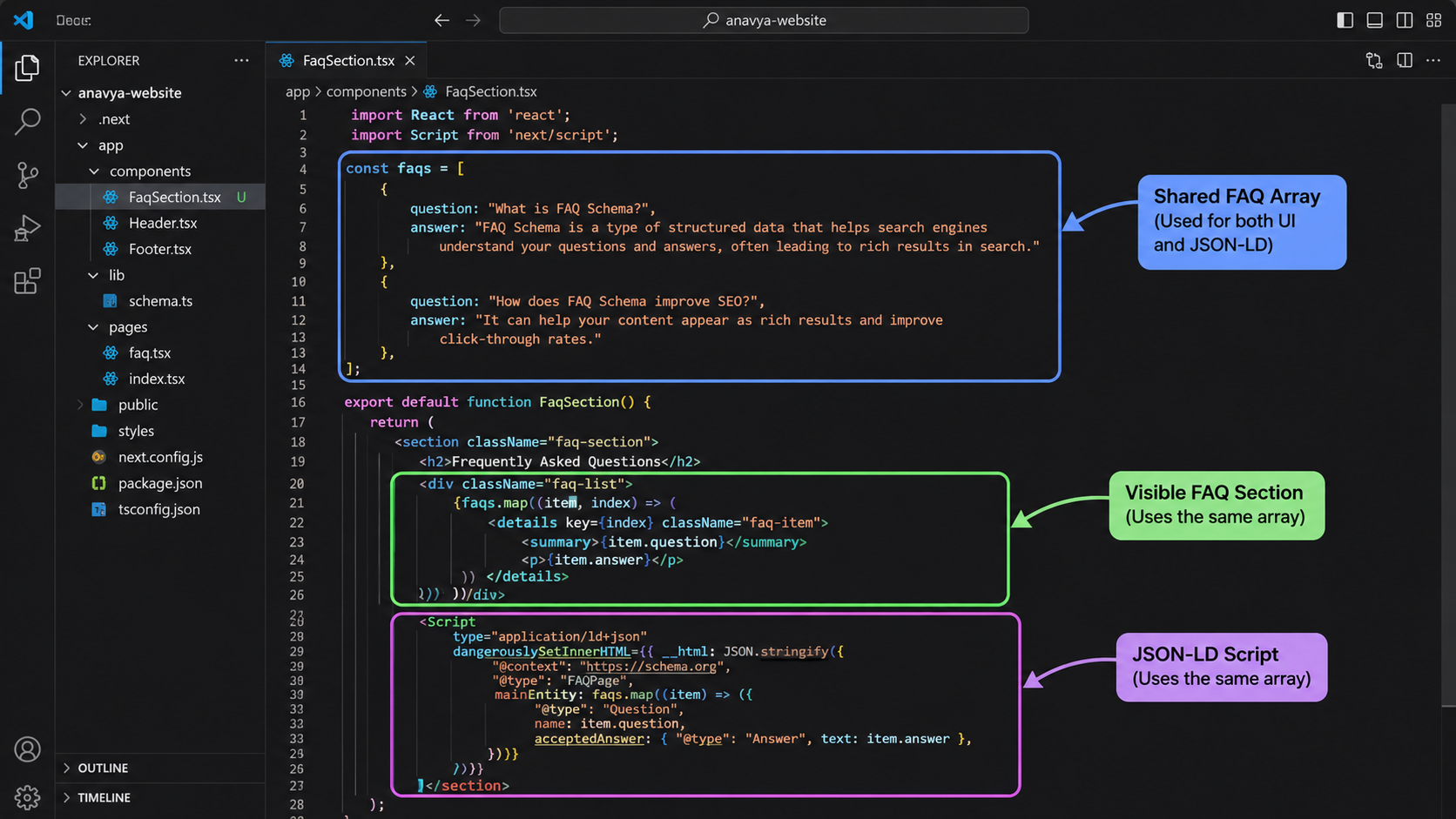
Building the visible list and the schema from one array keeps the markup accurate as the content changes.
Validating Your Markup
Validation confirms that the markup is syntactically correct and uses the properties correctly. It does not confirm that the content matches the page, so that check remains your responsibility.
Start with the Schema Markup Validator at validator.schema.org. Paste the page URL or the JSON-LD code, and review the results. The validator reports errors that prevent the markup from being read and warnings about optional properties.
Next, use Google's Rich Results Test to check whether the page is eligible for rich results under current rules. The test shows which structured data was detected and whether it has issues. Keep in mind that a valid result does not guarantee that a rich result will appear, because display decisions depend on several factors.
Finally, check the rendered page. Load the page in a browser, view the source, and confirm that the JSON-LD block is present and that each question and answer in the schema appears on the visible page with matching wording.
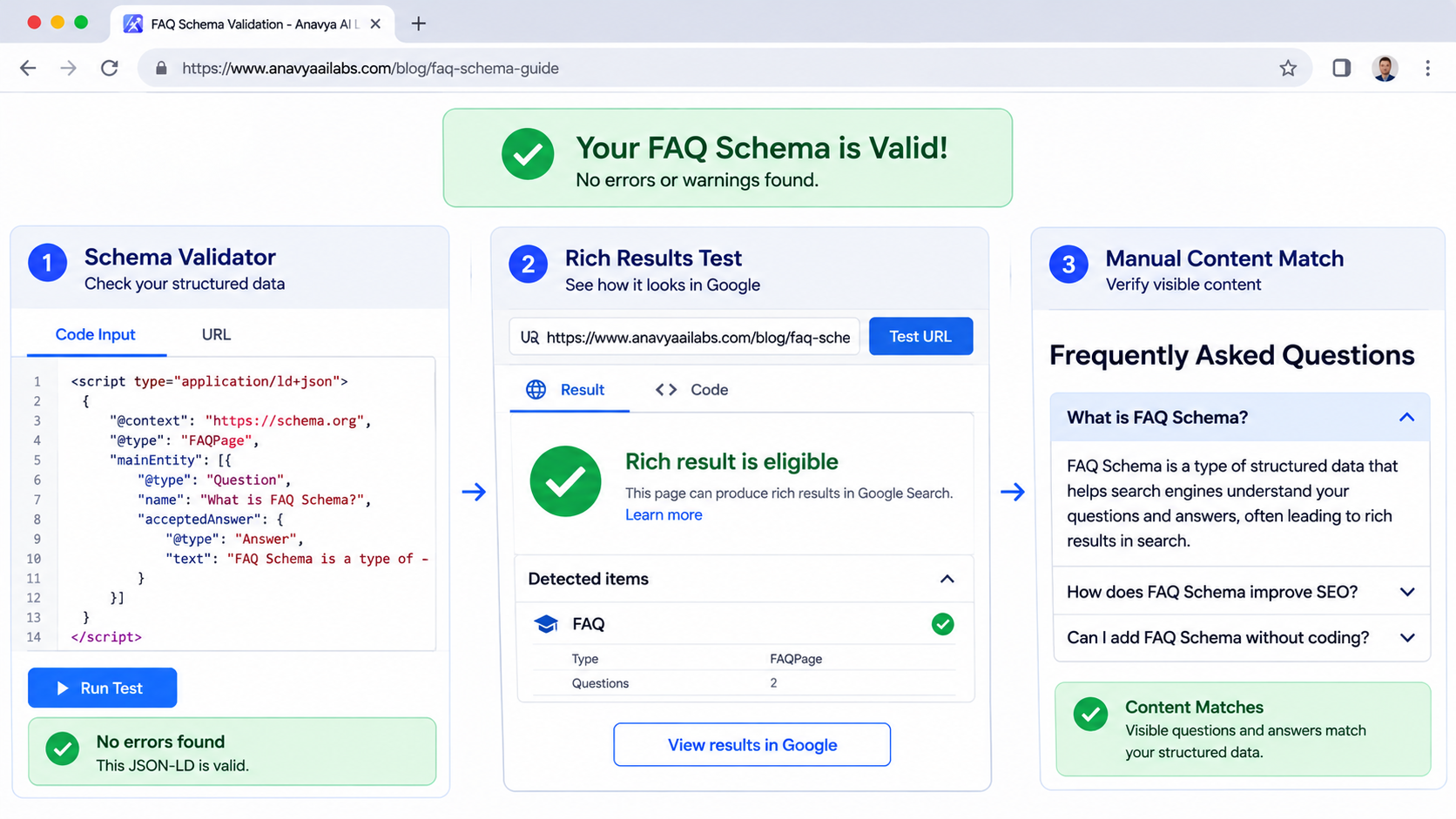
Validation has three layers: the syntax is valid, the property use is correct, and the content on the page matches the markup.
Common Mistakes
Marking up content that is not visible. FAQ schema must describe questions and answers that appear on the page. Adding hidden text or questions that visitors cannot see is a policy violation and can lead to the markup being ignored or the page being penalized.
Writing marketing copy as answers. Answers should be useful and factual. A sentence that exists only to promote the product, with no information, does not serve the reader or the schema.
Letting the schema drift from the page. When the visible text changes and the markup does not, the two no longer match. Generate the schema from the same source as the page to prevent this.
Using too many questions with thin answers. A long list of superficial questions adds little value. Include the questions your visitors genuinely ask, with answers that resolve them.
Forgetting required structure. Missing a Question object, placing the name in the wrong property, or using the wrong type causes the markup to be read incorrectly. Validate after every change.
Assuming FAQ schema is a shortcut to rankings. Structured data helps machines understand your content. It does not replace the quality, relevance, and technical health that determine search performance.
Frequently Asked Questions
Do I need JSON-LD, or can I use microdata? JSON-LD is the format Google recommends, and it is the easiest to maintain because it sits apart from the visible markup. Microdata is valid but more tightly coupled to the HTML.
How many questions should I include? Include the questions that appear on the page and genuinely help readers. There is no fixed number, but a short, accurate list is better than a long, repetitive one.
Does FAQ schema work on every page? FAQ schema is most appropriate on pages whose main purpose is to answer a set of questions, such as a support page, a product explainer, or a policy page. Avoid adding it to pages where the questions are incidental.
Can I use HTML inside the answer text? Check the current documentation for the format you use. Plain text is the safest choice, because it avoids formatting issues and reduces the risk of mismatch with the visible content.
Why is my rich result not appearing? Several factors affect display, including eligibility rules, the quality of the content, and how search engines decide what to show. Confirm that the markup is valid and matches the page, then review Google's current guidance on FAQ results.
Conclusion
FAQ schema is a precise tool. When it describes questions and answers that already appear on the page, and when it is written and validated correctly, it gives search engines and other systems a clear, machine-readable summary of your content. The working example and the Next.js implementation in this article show one way to do it reliably.
Keep the markup and the page in sync, validate every change, and treat the structured data as an accurate description of your content. Then review the current search documentation before expecting any particular display result.
Key Takeaways
- FAQ schema uses the FAQPage type, with a mainEntity list of Question objects, each containing an acceptedAnswer.
- The markup must describe questions and answers that are visible on the page, with matching wording.
- JSON-LD is the recommended format, and generating it from the same data as the page keeps the two in sync.
- Validate with the Schema Markup Validator and Google's Rich Results Test, and check that the content matches the page.
- FAQ rich result eligibility and display are governed by current search guidelines, so check them before planning around a specific result.


