

An llms.txt file is only useful if it is correct. A malformed title, a broken link, or a summary that no longer matches the site can make the file harder to use, for people and for any system that reads it. Because the file is short, errors are easy to introduce and easy to miss, especially after a redesign or a change in page structure.
This guide explains how to check an llms.txt file, what a validator should test, how to read the results, and how to fix the most common problems. It includes a working validation script you can run against your own site and a checklist you can repeat on a schedule.
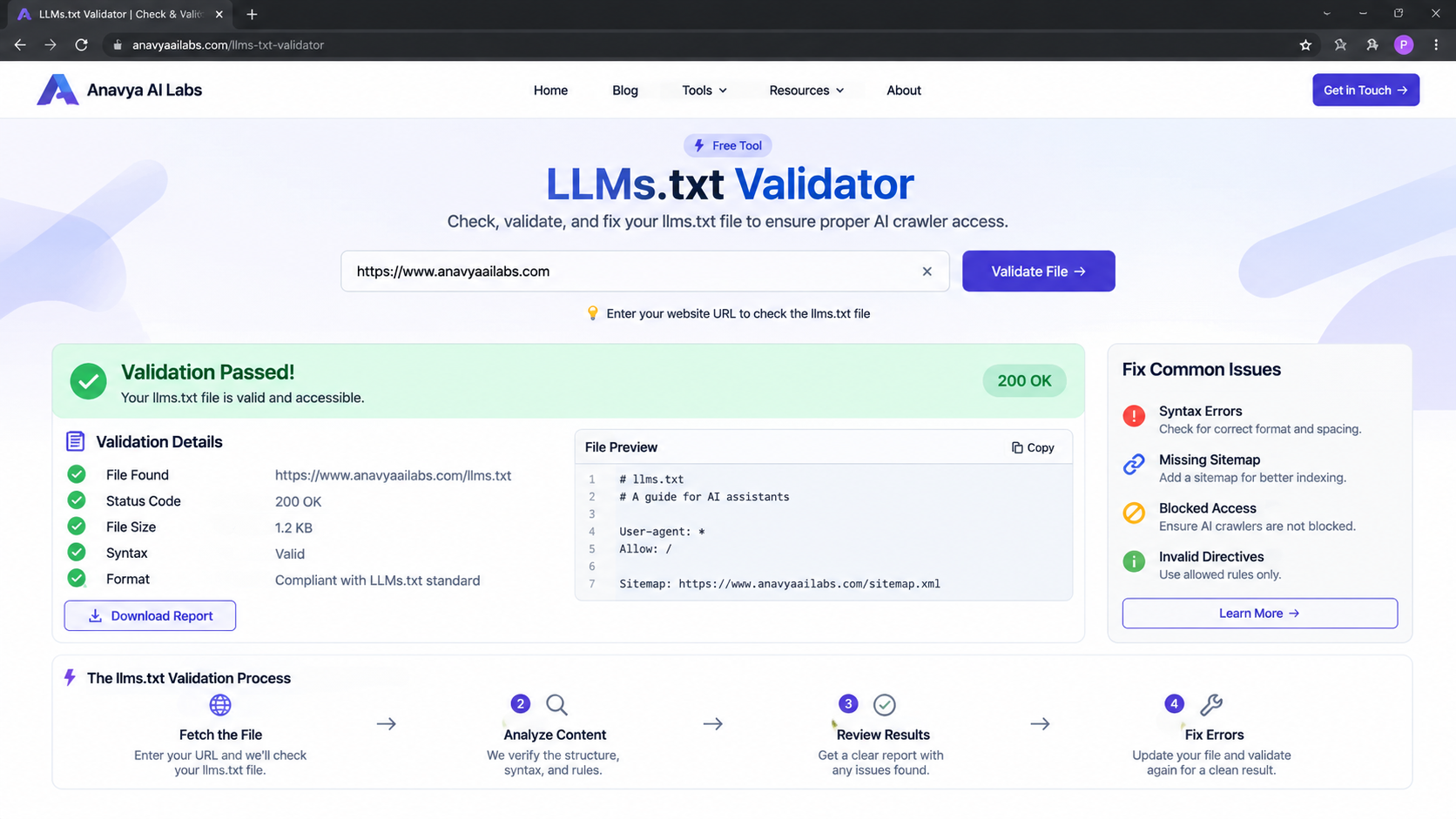
Validation has four stages: fetch the file, check its structure, test its links, and review its content.
What a Validator Should Check
llms.txt is a proposed convention, described at llmstxt.org, that uses Markdown to give language models a curated overview of a website. There is no single official validator for it, so a useful check combines several kinds of testing. A complete validation covers four areas.
Availability. The file must be reachable at /llms.txt on the root of your domain, return a successful status code, and be served as text.
Structure. The file should follow the layout the proposal describes. It begins with an H1 title, includes a blockquote summary, groups links under H2 sections, and formats each link as a list item with a title, a URL, and an optional description.
Links. Every URL should be absolute, should load successfully, and should lead to the page the description promises. Duplicate entries and redirects are worth reviewing even when they do not break the file.
Content. The summary and descriptions should match the site as it exists today. This part cannot be fully automated, so it requires a person to read the file and compare it with the pages it names.
Keep the goals of each area separate. A file can be well formed and still be out of date. A file can have accurate content and still be unreachable. Each check answers a different question.
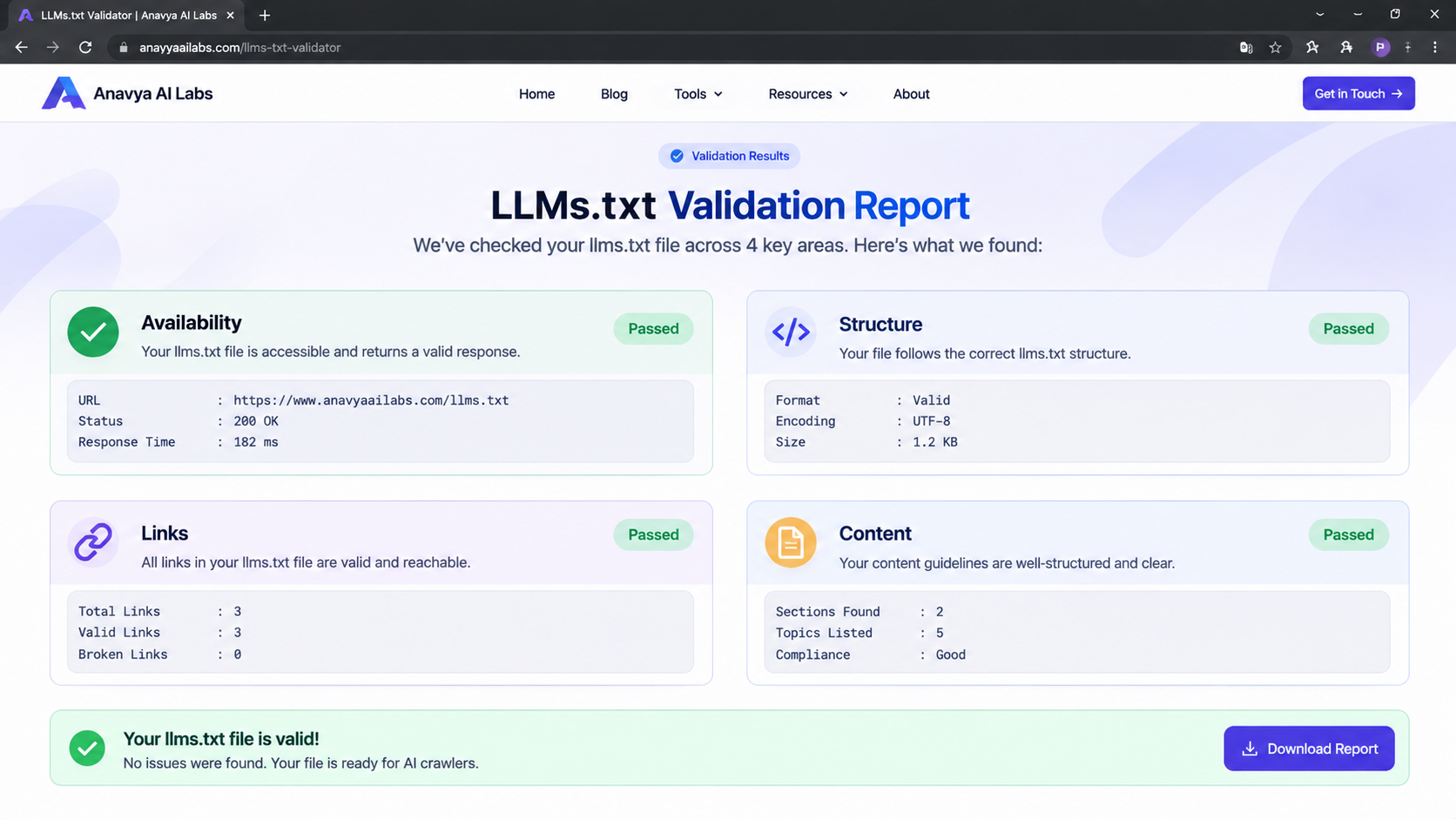
Each area catches a different kind of problem, so a complete check tests all four.
Check Availability First
Start with the simplest test. Request the file and record the status code and content type.
curl -s -o /dev/null -w "%{http_code} %{content_type}\n" https://anavyaailabs.com/llms.txt
A status of 200 means the file was found. A 404 means it is not at that location. A 301 or 302 means the server is redirecting, which is acceptable only if the final destination is the file itself. A 403 may indicate a permissions or access rule. A 500 suggests a server error that needs to be investigated before anything else.
The content type should indicate text, such as text/plain or text/markdown. If it returns text/html, the server is probably sending an error page or a redirect target in place of the file. Check that the file is served from the correct path and that no framework route or rewrite rule intercepts the request.
Also confirm that your robots.txt file does not block the path. A broad rule can prevent access to llms.txt along with everything else. This is the first place to look when a file that exists in your project does not load on the live site.
Check the Structure
A correctly structured file follows a predictable pattern. Here is a short example for a fictional company.
# Example Analytics

> Example Analytics provides website measurement software for small and mid-sized businesses. It tracks traffic, conversions, and search performance in one dashboard.

## Documentation

- [Getting started](https://www.example.com/docs/getting-started): Installation steps and first-time setup
- [Reporting](https://www.example.com/docs/reporting): How to build dashboards and schedule reports

## Products

- [Pricing](https://www.example.com/pricing): Plans, usage limits, and billing terms

## Optional

- [Company history](https://www.example.com/about): Background on the team and founding
A validator should confirm several points from this structure. The first non-empty line is an H1 heading. The summary is a blockquote. The sections use H2 headings. Each link line begins with a dash, followed by the title in square brackets, the URL in parentheses, and an optional colon with a short description. The Optional section, if present, is an H2 heading with that exact name.
Each of these elements is a common source of error. A title written with a second H1 heading, a summary written as a plain paragraph, a link missing its closing bracket, or a section heading with a slightly different name will each cause the file to be read incorrectly or flagged by a parser.
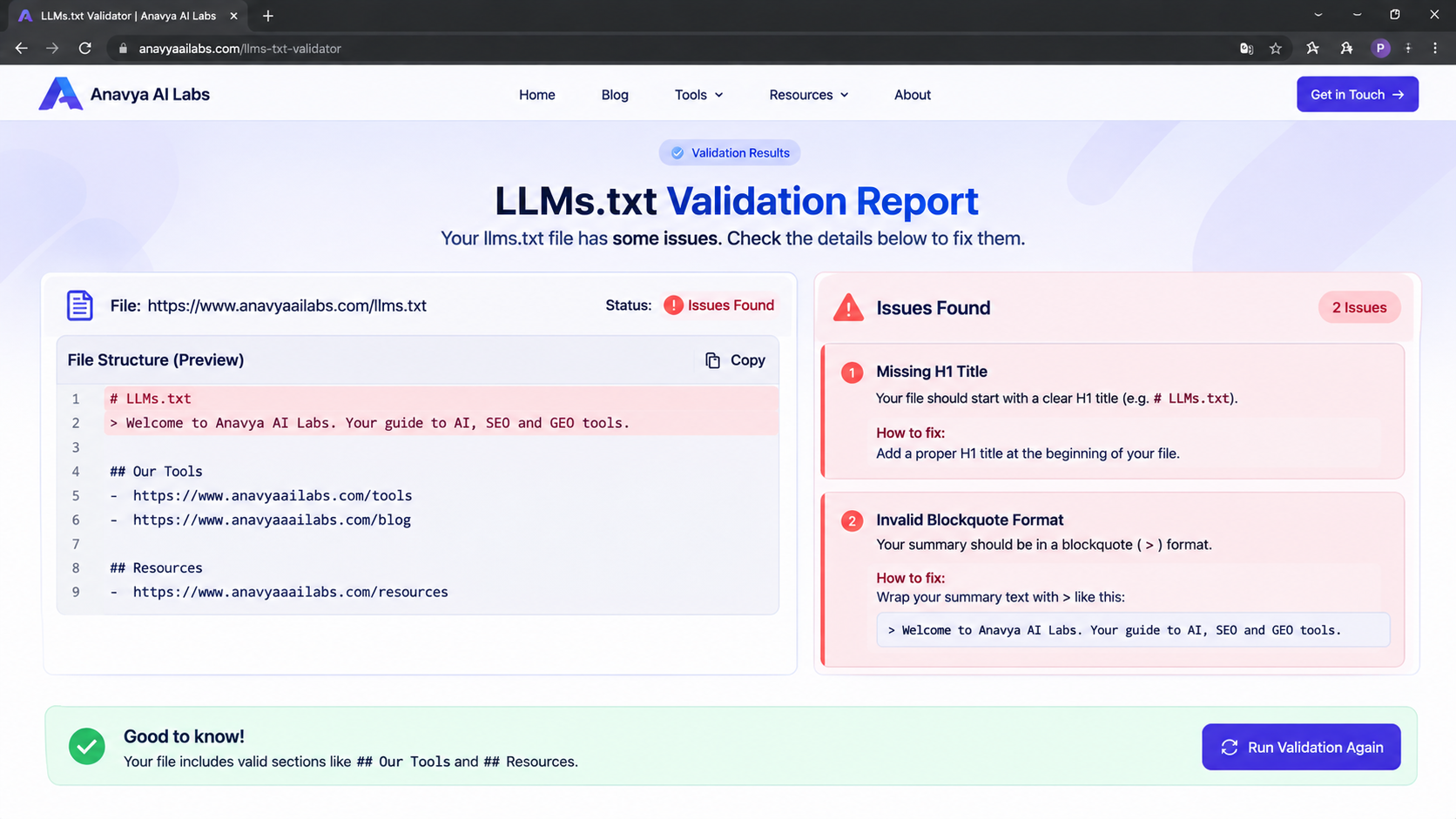
The structure is simple, which is why small deviations are easy to spot once you know what the correct pattern looks like.
Test the Links
Every link in the file should load and lead to the page its description promises. Broken links are the most common problem in files that were correct when they were written and have aged since.
The script in the next section automates this test. If you prefer a manual approach, extract the URLs and request them one at a time:
grep -o 'https\?://[^)]*' llms.txt | xargs -I {} curl -s -o /dev/null -w "%{http_code} {}\n" {}
Review the results carefully. A 200 response is good. A 301 or 302 means the link redirects, which is acceptable, but you should update the file to point at the final address so readers and tools do not have to follow the redirect. A 404 or 410 means the page no longer exists, and the entry should be removed or replaced. A 5xx response may be temporary, so retest before changing anything.
Check for duplicate URLs as well. The same page listed twice under different sections adds noise without adding information. Choose the section where the page belongs most clearly, and remove the other entry.
Review the Content
Automated checks can confirm that the file is well formed and that its links work. They cannot confirm that the content is accurate. A person must read the file and compare it with the site.
Ask a few specific questions. Does the summary still describe what the company does and who it serves? Do the descriptions match the current pages, including their names, scope, and status? Are any products, plans, or sections missing, or has something been discontinued but is still listed? Is the Optional section used for genuinely lower-priority content, rather than as a place to hide pages that matter?
A useful habit is to read the file as if you had never seen the site. If the summary and descriptions give you an accurate picture of the business in a minute or two, the content is probably in good shape. If you need to visit the site to understand what a description means, the description should be rewritten.
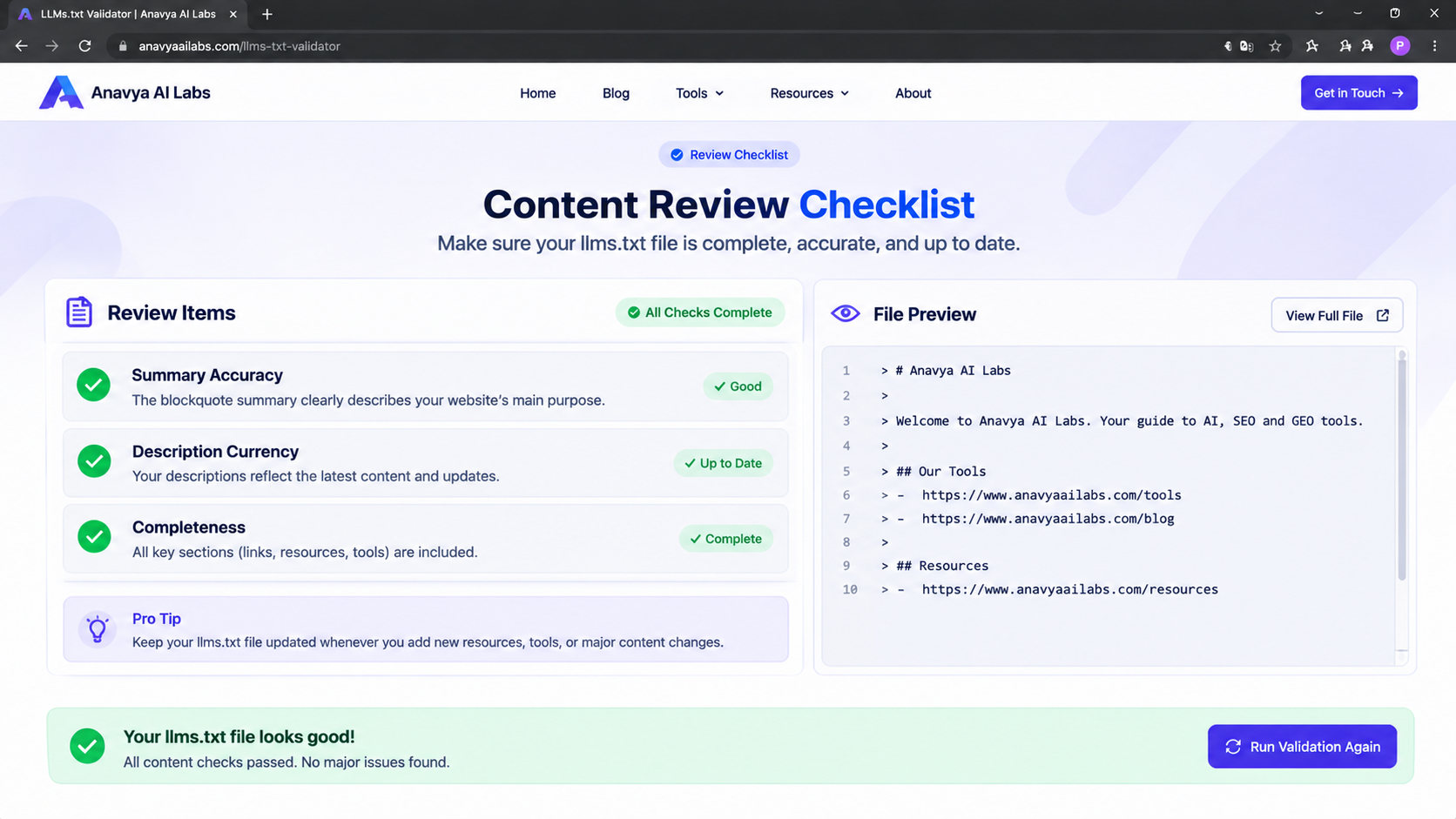
Content review asks whether the summary is still accurate, the descriptions are current, and the file is complete.
A Validation Script
The following script performs the availability, structure, and link checks described above. It is a practical starting point rather than a complete parser, so treat its output as a prompt for review, not a final verdict. It requires the requests library, which you can install with pip install requests.
import re
import sys
import requests

LINK_LINE = re.compile(
    r"^- \[(?P<title>[^\]]+)\]\((?P<url>https?://[^)\s]+)\)(?::\s*(?P<note>.+))?$"
)
HEADING = re.compile(r"^(#{1,6})\s+(.+)$")


def validate(site, check_links=True):
    issues = []
    warnings = []
    base = site.rstrip("/")

    try:
        response = requests.get(f"{base}/llms.txt", timeout=15)
    except requests.RequestException as error:
        return [f"Could not fetch llms.txt: {error}"], []

    if response.status_code != 200:
        return [f"llms.txt returned HTTP {response.status_code}"], []

    content_type = response.headers.get("Content-Type", "")
    if "text" not in content_type:
        warnings.append(f"Unexpected Content-Type: {content_type}")

    lines = [line.strip() for line in response.text.splitlines() if line.strip()]
    if not lines:
        return ["The file is empty"], []

    if not re.match(r"^# \S", lines[0]):
        issues.append("The first non-empty line must be an H1 title beginning with '# '")

    if not any(line.startswith("> ") for line in lines):
        issues.append("No blockquote summary found (a line beginning with '> ')")

    urls = []
    for line in lines:
        if line.startswith("- "):
            match = LINK_LINE.match(line)
            if not match:
                issues.append(f"Malformed link line: {line}")
                continue
            urls.append(match.group("url"))

    seen = set()
    for url in urls:
        if url in seen:
            warnings.append(f"Duplicate URL: {url}")
        seen.add(url)

    if check_links:
        for url in sorted(seen):
            try:
                result = requests.get(url, timeout=10, allow_redirects=True)
            except requests.RequestException as error:
                issues.append(f"{url} could not be reached: {error}")
                continue
            if result.status_code >= 400:
                issues.append(f"{url} returned HTTP {result.status_code}")
            elif result.url.rstrip("/") != url.rstrip("/"):
                warnings.append(f"{url} redirects to {result.url}")

    if len(urls) > 50:
        warnings.append(f"The file lists {len(urls)} links; consider keeping it focused")

    return issues, warnings


if __name__ == "__main__":
    site = sys.argv[1] if len(sys.argv) > 1 else "https://anavyaailabs.com"
    issues, warnings = validate(site)

    for message in warnings:
        print(f"WARNING: {message}")
    for message in issues:
        print(f"ERROR: {message}")

    if issues:
        print(f"\n{len(issues)} error(s) found. Fix these before publishing.")
    else:
        print("\nNo errors found.")
Run it from the command line with your domain as the argument:
python validate_llms.py https://www.yourdomain.com
The script checks the presence of the H1 title and the blockquote summary, flags link lines that do not match the expected pattern, reports duplicate URLs, and requests each linked page. It also notes redirects and warns when the file is long. It does not verify that descriptions are accurate, and it does not evaluate whether the chosen pages are the right ones, so the content review remains necessary.
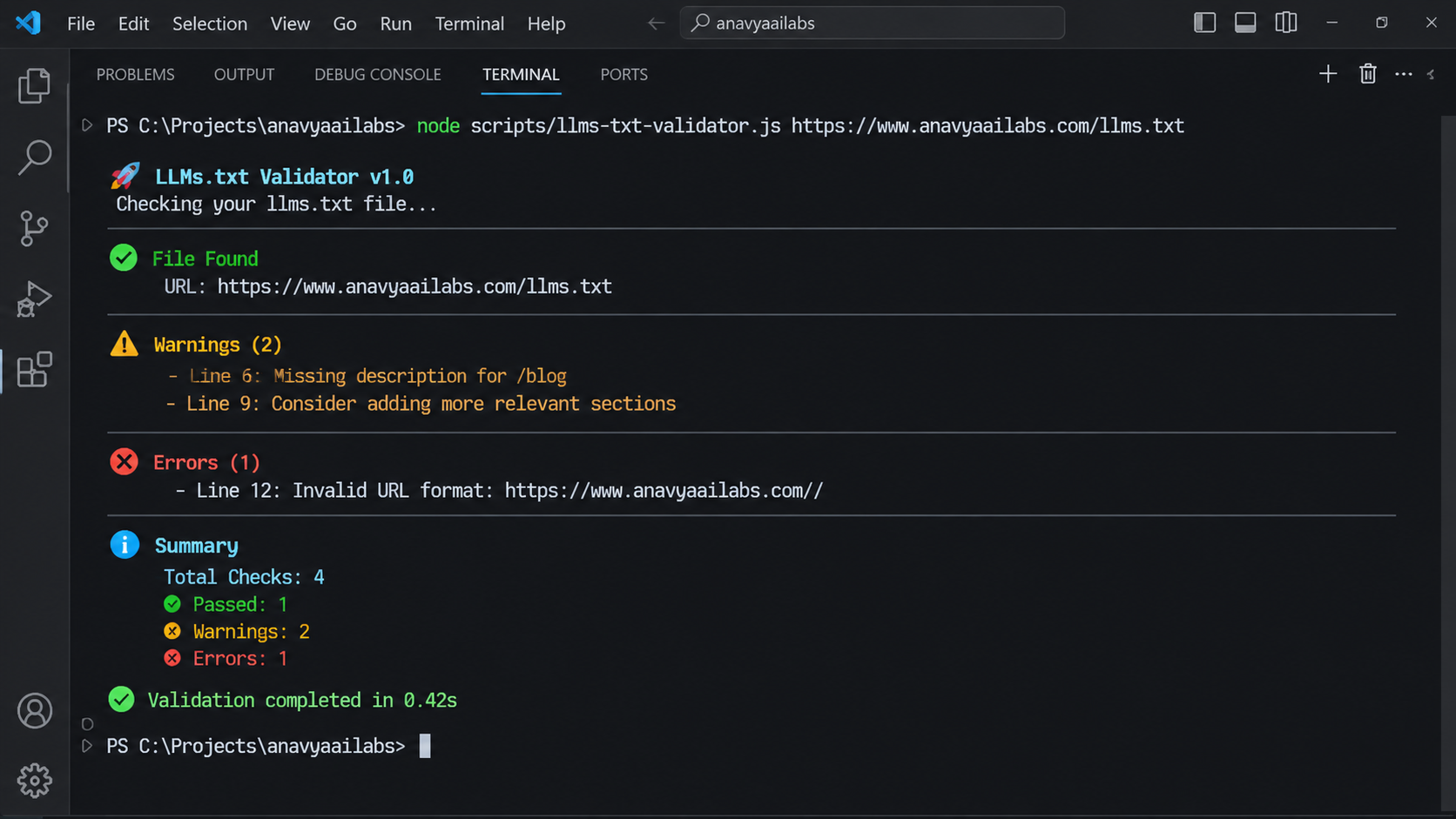
The script reports warnings and errors separately, so you can decide which problems to fix first.
Common Errors and How to Fix Them
The file does not load. Confirm the path is /llms.txt at the root of the domain, the server serves it as text, and no redirect or robots.txt rule blocks it. Redeploy if the file exists in your project but not on the live site.
The title is missing or wrong. The first line must be an H1 heading with the site name. Remove any content above it, including blank lines that contain hidden characters, and make sure the heading uses a single hash and a space.
The summary is a paragraph instead of a blockquote. Begin the summary line with an angle bracket and a space. Keep it to one or two sentences that state what the site offers and who it serves.
Link lines are malformed. Each entry should follow the pattern dash, space, title in square brackets, URL in parentheses, then an optional colon and description. A missing bracket or a space in the wrong place breaks the line. Copy an existing correct line when you add new ones.
Links are relative or broken. Use absolute URLs including the protocol and domain. Replace any 404 or 410 entries with current pages or remove them.
The file is out of date. Review the summary and descriptions against the current site, and update any section that refers to products, plans, or pages that have changed.
Sections are inconsistent. Use H2 headings for groups, keep names consistent, and place the Optional section last so the most important content appears first.
Keep the File Current
A validator is most useful when it runs regularly. Set a recurring reminder to run the script, perhaps monthly for an active site and quarterly for a stable one. Run it whenever you publish a significant new section, rename a product, retire a page, or change your domain structure.
Keep a short record of each run, including the date, the number of errors and warnings, and the changes you made. This makes it easy to see whether the file is improving and to notice when a particular kind of error keeps recurring, which often points to a process problem rather than a one-time mistake.
Also keep your expectations realistic. A valid, accurate llms.txt file is a sound piece of website maintenance, and it helps anyone who reads the file with an AI tool. However, the file alone does not guarantee that AI systems will read or cite your pages. Treat validation as a way to keep the file correct, and keep your attention on the fundamentals that determine whether your content is accessible and useful.
Frequently Asked Questions
Is there an official llms.txt validator? There is no single official validator for the proposal. Combining availability checks, structure checks, link checks, and manual content review gives a reliable picture, and the script in this article covers the automatable parts.
How often should I validate the file? Monthly for sites that change often, quarterly for stable sites, and always after a significant change to the structure or content of the site.
Should I include llms-full.txt? Only if you can keep it accurate. A full-text companion file that falls out of date is more misleading than having no companion file at all. Validate it with the same care as the main file.
Does a valid file guarantee AI visibility? No. Validation confirms that the file is correct. It does not confirm that AI systems read or cite it. Keep your focus on crawler access, clear page structure, and credible content.
What if my validator reports warnings but no errors? Warnings are worth reviewing but do not necessarily break the file. Duplicate URLs and redirects are common examples. Fix them to keep the file clean, and decide case by case whether a warning needs action.
Conclusion
Checking an llms.txt file means testing four things: whether it is available, whether its structure follows the proposed format, whether its links work, and whether its content matches the site. A script can handle most of the first three, and a person must review the last. Each check catches a different kind of problem, so run all of them.
Fix errors in order of impact: availability first, then structure, then links, then content. Repeat the validation on a schedule, and keep a record of the results. A file that is correct, current, and easy to read is a small but worthwhile part of maintaining a clear website.
Key Takeaways
- A complete llms.txt validation checks availability, structure, links, and content, and each area catches different problems.
- Confirm the file returns a successful status, is served as text, and is not blocked by robots.txt.
- The file must begin with an H1 title, include a blockquote summary, group links under H2 sections, and format each link correctly.
- Test every link, remove duplicates, and replace broken or outdated entries.
- Run the validator on a schedule, review the content manually, and keep your expectations realistic about the file's effect on AI visibility.


