
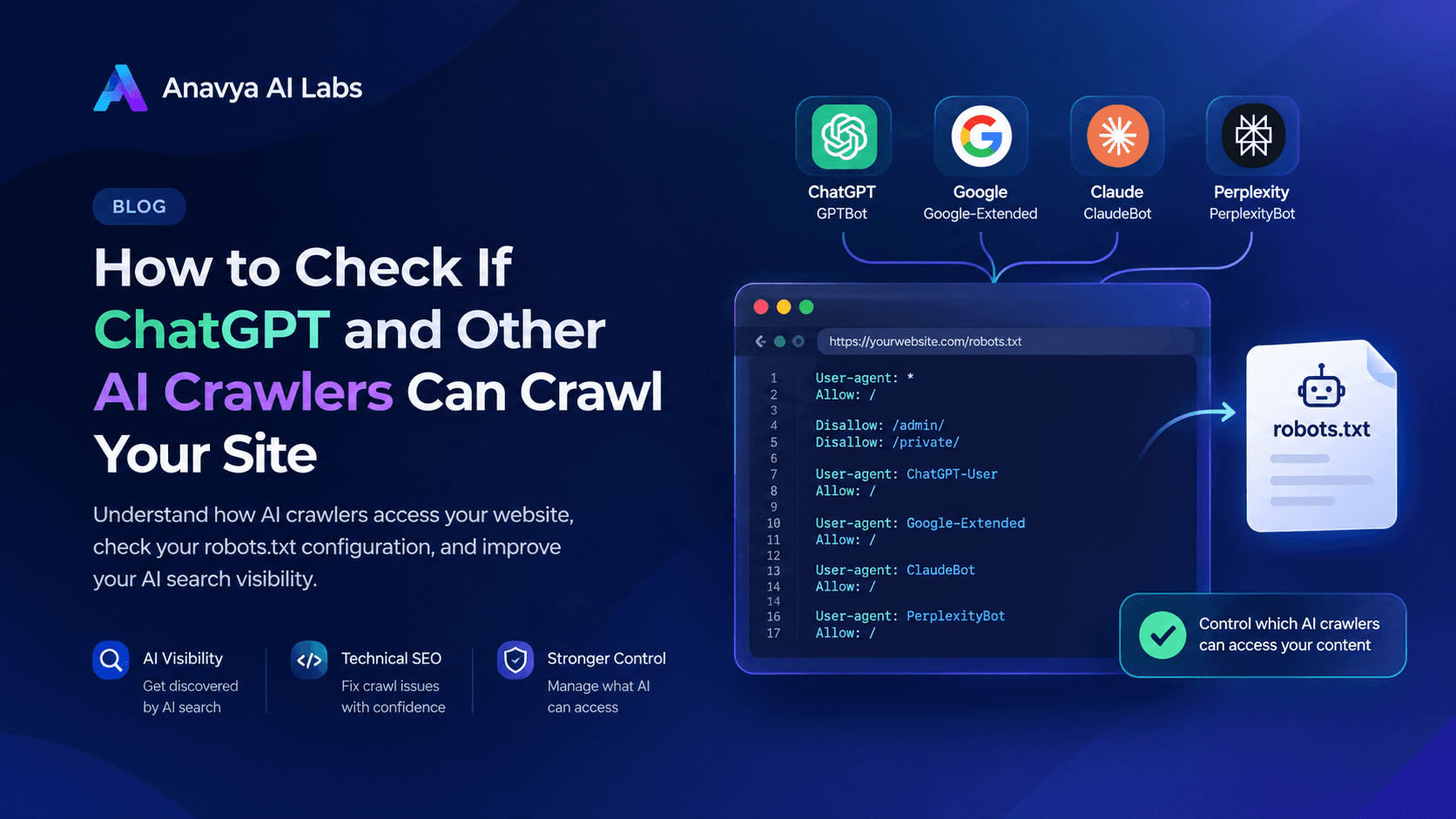
Your robots.txt file is one of the few places where you can tell AI crawlers what they may and may not do on your site. Many businesses have never opened it, and some have inherited rules from a template that block AI agents without anyone deciding to. Others have blocked everything out of caution, without considering what they give up.
This guide explains what robots.txt does for AI crawlers, which agents you are likely to see, how to decide what to allow and block, and how to write and test the file. The goal is a policy you chose on purpose, not one you inherited by accident.
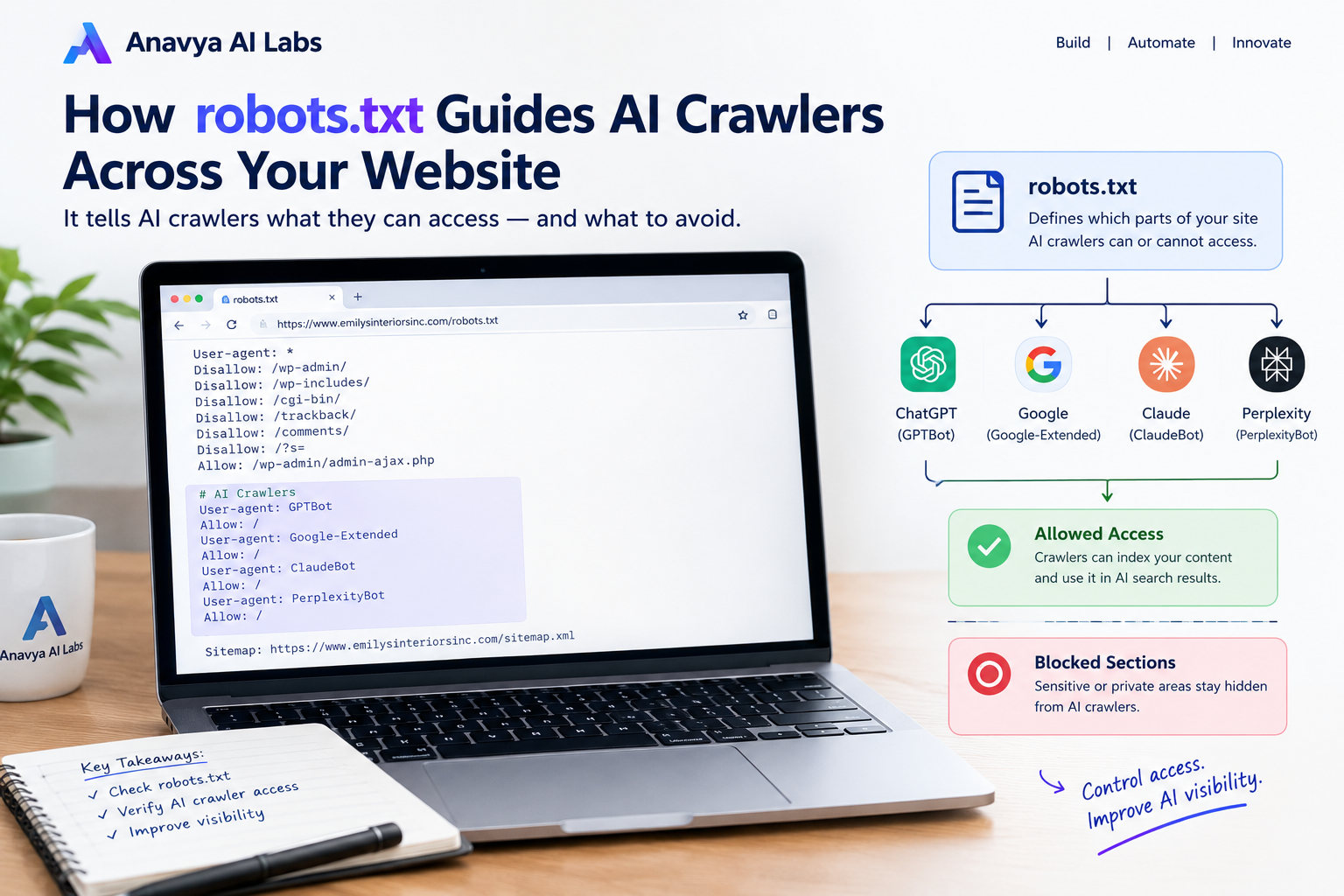
Robots.txt sits at the root of your domain and gives each crawler instructions before it requests your pages.
What robots.txt Does and Does Not Do
Robots.txt is a plain-text file placed at the root of your domain, such as https://www.yourdomain.com/robots.txt. It lists rules for crawlers, grouped by user agent. Each rule either allows or disallows a path.
It is a convention, not a security mechanism. Crawlers that follow the standard read the file and respect its rules. Nothing in the file technically prevents a request, and a crawler that ignores the convention can still fetch your pages. For private content, use authentication or other access controls. Robots.txt is for managing how cooperative crawlers use your public pages.
Some providers also state that certain user-initiated fetches, where a person asks an assistant to open a specific URL, may not follow robots.txt in the same way as background crawlers. Check each provider's documentation for the details, since these policies change.
Know Which Agents You Are Dealing With
AI companies use different crawlers for different purposes. Before you write any rule, separate them into groups, because the purpose determines the trade-off.
| Purpose | What it does | Example agents |
|---|---|---|
| Model training | Collects content to train or improve AI models | GPTBot, ClaudeBot, CCBot |
| Search indexing | Builds an index used to find and cite sources in AI answers | OAI-SearchBot, Claude-SearchBot, PerplexityBot |
| User-initiated fetching | Retrieves a page when a user asks an assistant to open it | ChatGPT-User, Claude-User, Perplexity-User |
| Control tokens | Governs how content is used, without being a separate crawler | Google-Extended, Applebot-Extended |
Two points deserve attention. First, Google-Extended is a control token, not a crawler. It affects whether your content is used for Google's AI training, but it does not change how Googlebot crawls and indexes pages for Google Search. Second, agent names change over time. Verify each name against the provider's current documentation before you rely on it, and review your file when providers announce new agents.
Keep in mind that blocking an agent affects only that agent's purpose. Blocking a training crawler does not necessarily remove you from an assistant's search results, and blocking a search agent may reduce your visibility in answers that cite live sources.
Anatomy of a Robots.txt Rule
A robots.txt file is made of groups. Each group begins with one or more User-agent lines and is followed by directives that apply to those agents.
User-agent: GPTBot
Disallow: /

User-agent: *
Allow: /
Disallow: /admin/
Disallow: /account/
This example blocks GPTBot from the whole site and allows all other crawlers everywhere except the admin and account areas. The rules work as follows:
User-agentnames the crawler the group applies to.*matches any crawler that has no more specific group.Disallowblocks the path that follows.Disallow: /blocks the entire site, and an emptyDisallow:allows everything.Allowpermits a path, usually to carve out an exception inside a broader block.- Paths are case-sensitive and match from the beginning of the URL path.
A crawler follows the most specific group that names it. If a group exists for GPTBot, the * group does not apply to GPTBot at all. Many mistakes come from forgetting this rule. If you add a named group for one crawler, repeat any general rules you still want it to follow inside that group.
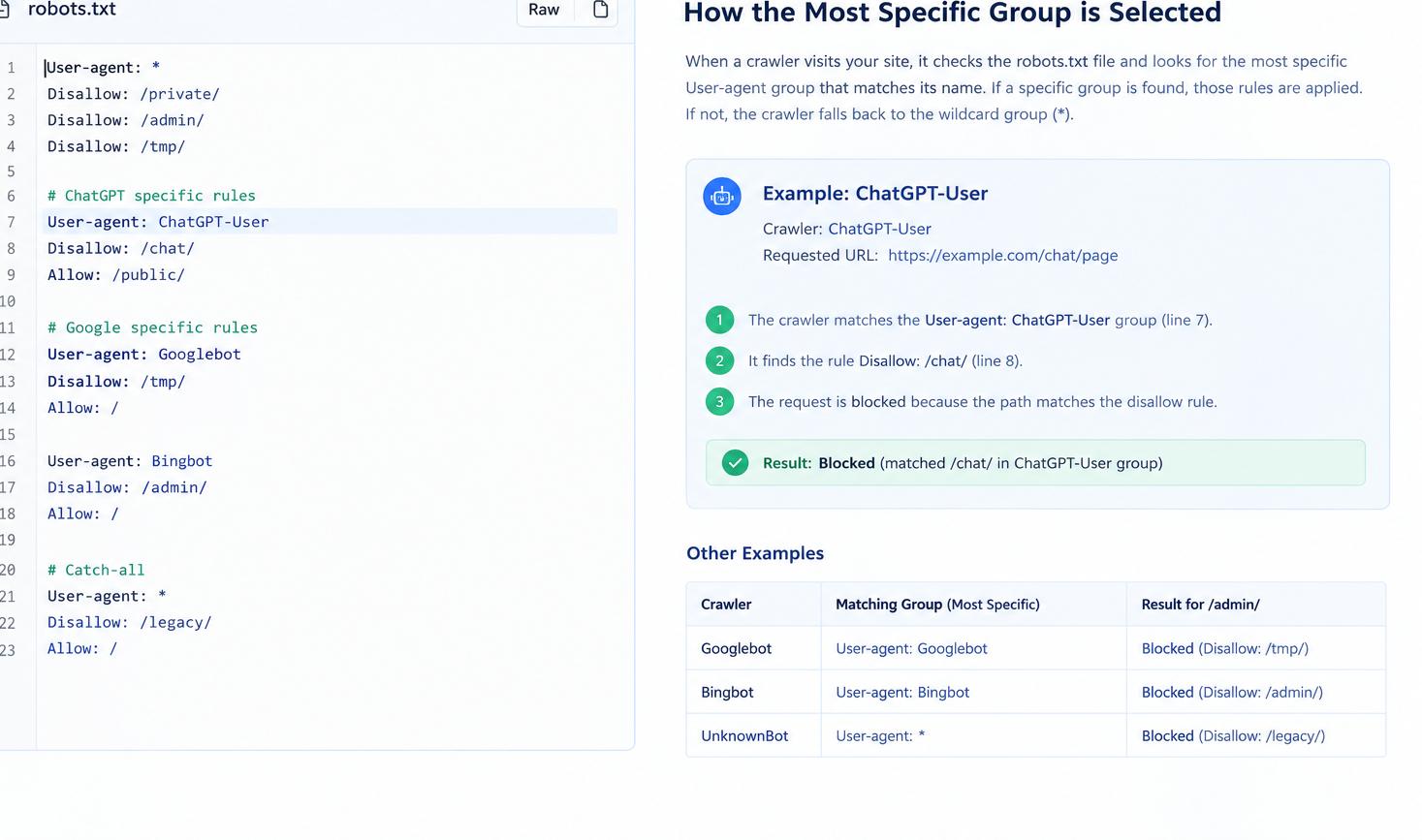
A named group overrides the general group for that crawler, so repeat any general rules you still want it to follow.
Decide What to Allow and Block
There is no single correct policy. The right choice depends on what your website is for, whether your content is a commercial asset, and how you want to be represented in AI answers. Use the following questions to guide the decision.
Do you want to be cited in AI answers? If your business depends on discovery, such as a service provider, a software company, or a retailer, allowing search and user-initiated agents for your public pages is usually in your interest. Those agents are how assistants find and cite current sources.
Do you want your content used for model training? This is a separate question. Some organizations accept training use, others want to opt out, and others need to license their content. Training crawlers are the most common place for a deliberate block.
Do you publish paid, licensed, or proprietary content? Publishers and content businesses often block training crawlers while allowing search agents, or restrict specific premium sections regardless of crawler.
Do you have private or sensitive areas? Admin panels, account pages, checkout flows, internal search results, and staging environments rarely belong in any crawl. Disallow them for every agent, and remember that robots.txt is not a substitute for authentication.
A common and defensible starting point looks like this:
- Allow search and user-initiated agents on public pages that explain or sell your offering.
- Disallow private areas for all agents.
- Make a conscious choice about training crawlers, and document it, rather than leaving the default in place.
An Example Configuration
The following file shows one way to apply that policy. It is an example, not a recommendation for every site, and the paths should be replaced with the ones on your own domain.
# Search and user-initiated agents: allow public content
User-agent: OAI-SearchBot
User-agent: ChatGPT-User
User-agent: Claude-SearchBot
User-agent: Claude-User
User-agent: PerplexityBot
Disallow: /admin/
Disallow: /account/
Disallow: /checkout/
Allow: /

# Training crawler: opt out of model training
User-agent: GPTBot
User-agent: ClaudeBot
Disallow: /

# Everyone else: allow public content, protect private areas
User-agent: *
Disallow: /admin/
Disallow: /account/
Disallow: /checkout/
Allow: /

Sitemap: https://www.yourdomain.com/sitemap.xml
Several details in this file matter. Multiple User-agent lines can share one group of directives, which keeps the file concise. The Sitemap line gives crawlers the location of your sitemap, which helps them find important pages. And every group that needs a restriction repeats it, because a named group replaces the general group for that agent.
Before you deploy a file like this, confirm that each agent name matches the provider's current documentation, and that no existing rule elsewhere in the file contradicts the new group.
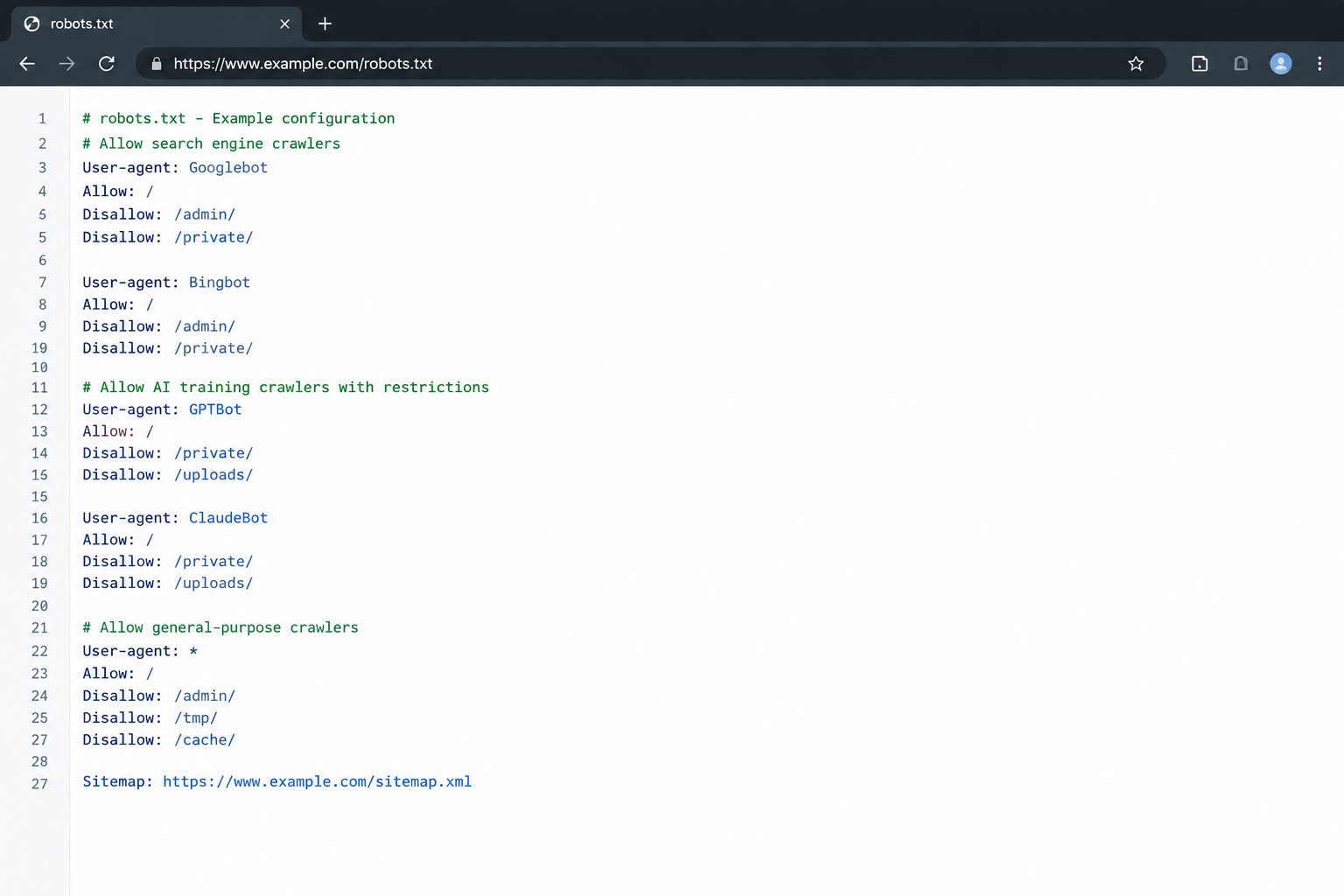
Separate groups make the policy readable: one for search agents, one for training crawlers, and one for everyone else.
Common Mistakes
Blocking everything by accident. A rule such as User-agent: * followed by Disallow: / blocks every compliant crawler from the entire site. Templates and security plugins sometimes add this rule. Check the file for it first.
Forgetting that named groups override the general group. If you add User-agent: GPTBot with a Disallow rule, GPTBot no longer follows the * rules. Repeat any restrictions you want it to respect.
Blocking a whole directory when you meant one page. Disallow: /blog also blocks /blog-archive/ and any other path that begins with those characters. Use a trailing slash, such as /blog/, when you mean the directory.
Misspelling agent names. A misspelled name matches nothing, so the rule silently does nothing. Copy names from the provider's documentation rather than typing them from memory.
Assuming robots.txt protects private content. The file is public and only advisory. Anyone can read it, and some crawlers do not follow it. Protect private content with authentication.
Setting a policy once and forgetting it. Agent names, product lines, and provider policies change. Review the file on a schedule, and whenever you launch a new section of the site.
How to Test Your Robots.txt File
Testing confirms that the file says what you intended. Start with a simple programmatic check using Python's built-in parser. The script below reads your live robots.txt and reports whether each agent may fetch a set of sample URLs.
from urllib.robotparser import RobotFileParser

SITE = "https://www.yourdomain.com"
AGENTS = [
    "GPTBot",
    "ClaudeBot",
    "OAI-SearchBot",
    "Claude-SearchBot",
    "PerplexityBot",
    "Google-Extended",
]
SAMPLE_PATHS = ["/", "/services/", "/admin/", "/account/"]

parser = RobotFileParser()
parser.set_url(f"{SITE}/robots.txt")
parser.read()

for agent in AGENTS:
    row = []
    for path in SAMPLE_PATHS:
        allowed = parser.can_fetch(agent, f"{SITE}{path}")
        row.append("allow" if allowed else "block")
    print(f"{agent:18} " + "  ".join(f"{p:10}{r}" for p, r in zip(SAMPLE_PATHS, row)))
Run the script after every change. Replace the sample paths with the sections that matter for your business. The output shows what a compliant crawler should do, so it is a good check on your logic.
Then test the live server. Fetch the file in a browser to confirm it loads with a 200 status and that the content is the version you expect, since caching or a deployment issue can serve an old copy. You can also request it with curl:
curl -s -o /dev/null -w "%{http_code}\n" https://www.yourdomain.com/robots.txt
A 200 response means the file is reachable. A 404 means no file exists at that location, which allows everything by default.
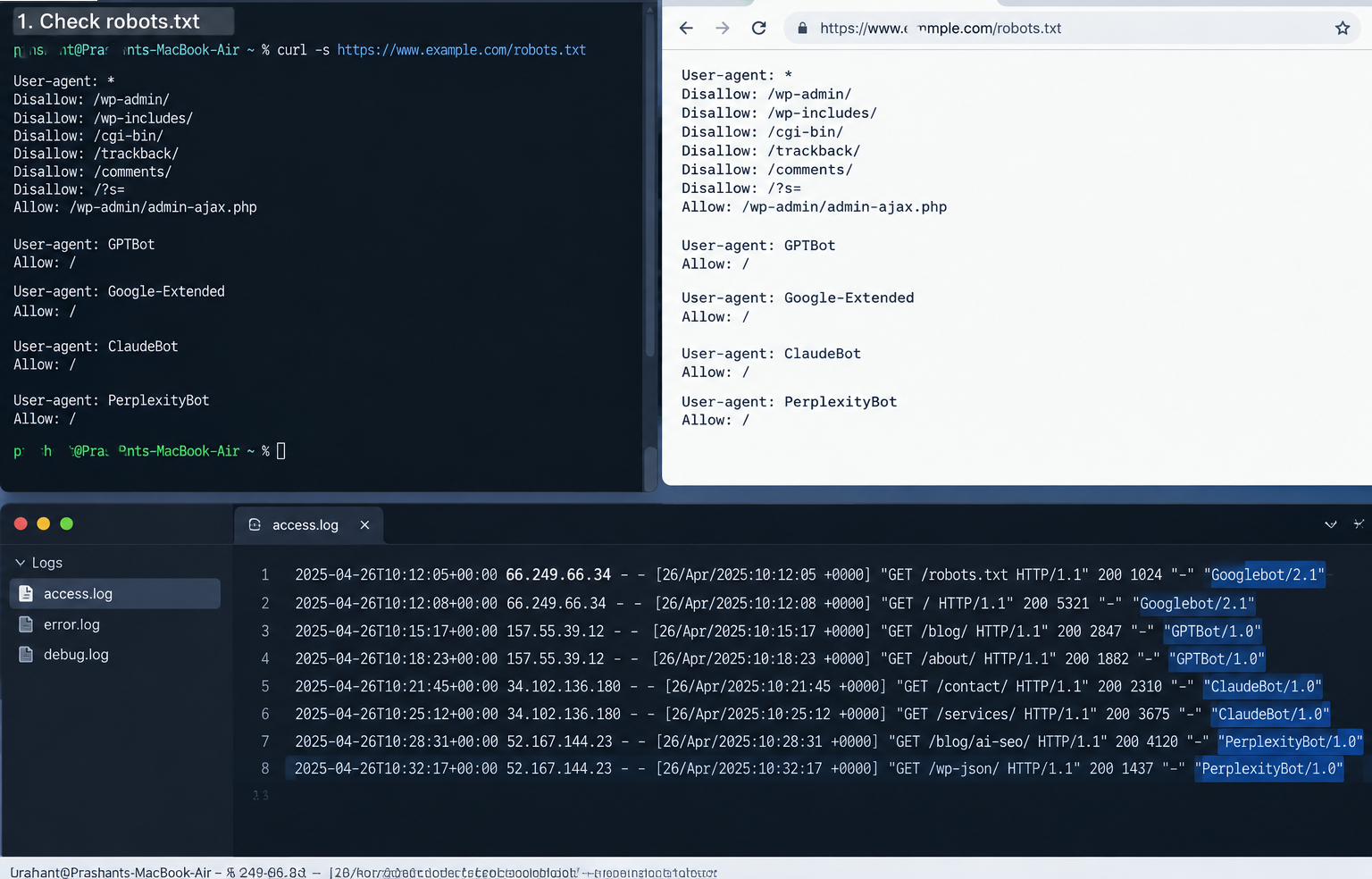
Test the logic with a script, confirm the live file, and then check server logs to see how crawlers respond.
Finally, review your server logs for requests to robots.txt and for visits from the agents you have addressed. Logs show whether crawlers are fetching the file and which pages they request. A crawler that you have blocked should not appear in your logs requesting restricted paths, although its visits may still reach your server if it does not follow the standard.
A Policy Checklist
Before you publish a robots.txt file for AI crawlers, confirm the following:
- You have separated search, training, and user-initiated agents in your plan.
- Each agent name matches the provider's current documentation.
- Private areas are disallowed for all agents, and authentication protects anything sensitive.
- No general rule blocks the whole site by accident.
- Named groups repeat any restrictions you want them to follow.
- The
Sitemapline points to the correct URL. - You have tested the logic with a script and confirmed the live file.
- You have documented the policy, including the reason and the date.
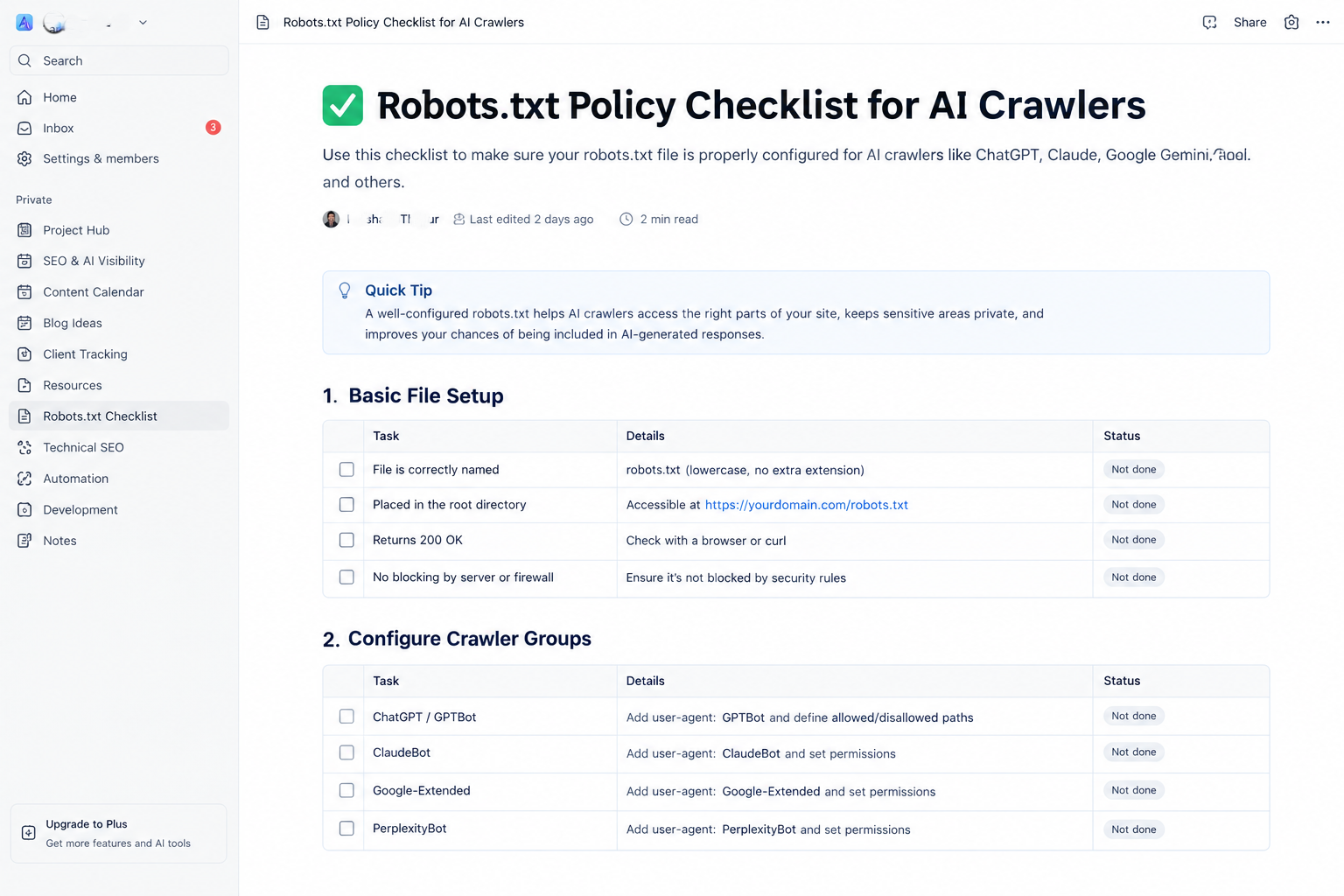
Work through the checklist before publishing, and record the policy so future changes are deliberate.
Frequently Asked Questions
Does allowing AI crawlers guarantee that my content will appear in AI answers? No. Allowing access makes it possible for a crawler to read your pages, but it does not guarantee citation. Content quality, structure, and relevance to the question all influence whether a page is used.
If I block GPTBot, will my site disappear from ChatGPT? Not necessarily. GPTBot is a training crawler, and other OpenAI agents serve different purposes. Review each agent's documentation and decide each one separately.
Should I block training crawlers? That is a business decision. Some organizations opt out of training to protect proprietary content, while others accept training use to support broader visibility. Make the choice deliberately and document it.
Can I use robots.txt to hide a page from search? Robots.txt controls crawling, not indexing. To keep a page out of search results, use a noindex directive, and make sure the page is not blocked in robots.txt, because a crawler must be able to read the directive. For sensitive content, use authentication.
How quickly do changes take effect? Crawlers fetch robots.txt on their own schedules, and many cache it for a period. Changes can take days to appear in behavior, so check your logs over time rather than expecting immediate results.
Does Google-Extended affect Google Search? No. Google-Extended governs whether content is used for Google's AI training. Regular Google Search crawling is handled by Googlebot, which is controlled separately.
Conclusion
Robots.txt gives you a direct, public way to set expectations for AI crawlers. The file is simple, but the decisions behind it are not. Separate the agents by purpose, decide what you want to allow and block, write clear groups with no accidental blanket rules, and test the result before and after you publish.
Treat the file as a policy you maintain, not a one-time setup. Review it when providers change their agent names and when your business priorities change, and keep a record of why each rule exists.
Key Takeaways
- Robots.txt is an advisory convention that cooperative crawlers respect, not a security control.
- Separate AI agents into training, search, and user-initiated groups, because each serves a different purpose.
- A named group overrides the general group, so repeat any restrictions you want it to follow.
- Allow public pages that you want cited, disallow private areas for everyone, and make a deliberate choice about training.
- Test the logic with a script, confirm the live file, and review server logs over time.


