
Choosing an ecommerce platform is a decision with long-term consequences for search visibility. The platform determines how product and category pages are generated, how URLs are structured, how easily you can edit crawl rules and redirects, and how much control you have over the structured data that describes your products. Those choices affect how search engines and AI systems find, understand, and cite your store.
Shopify and BigCommerce are two of the most widely used platforms for growing and established merchants. Both can perform well in search when configured carefully, and both have limitations that matter for SEO and for visibility in AI answers. This article compares them across the areas that most affect those outcomes, explains how to evaluate a store in a consistent way, and describes what to check in your own setup.
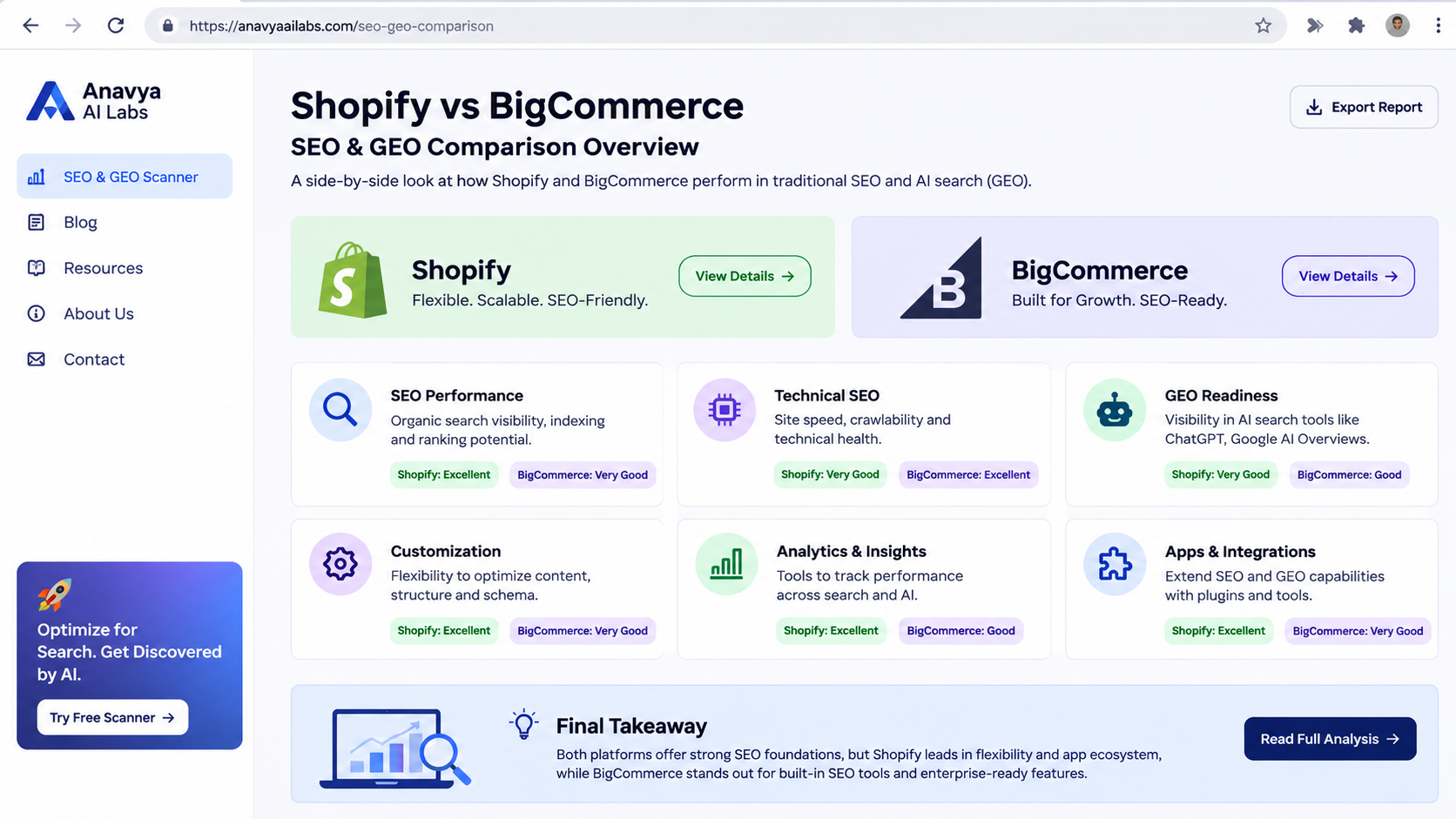
A fair comparison covers the same areas on both platforms, from URL structure to crawler access and structured data.
What This Comparison Covers
Platform comparisons are easy to get wrong. Feature lists change, theme choices change the output, and apps can add or remove behavior. For this reason, this article focuses on the capabilities that a merchant controls and can verify directly, rather than on claims about rankings or performance that depend on many other factors.
We compare the platforms across six areas: URL structure, control over crawl rules, redirects, sitemaps, structured data, and the signals that matter for AI crawler access. We also describe how the theme and apps affect each area, because on both platforms the storefront you see is shaped by the theme you choose and the apps you install.
Where a capability depends on plan level, theme, or a specific app, we say so. Platform settings change over time, so confirm the current options in each platform's documentation and in your own admin before making decisions.
Platform Capabilities at a Glance
The table below summarizes the areas a merchant should check on each platform. It describes what to verify, not a final score, because the right answer depends on your catalog, your theme, and your team.
| Area | What to verify on Shopify | What to verify on BigCommerce |
|---|---|---|
| Product and collection URLs | Default path structure and whether it fits your strategy | Available URL settings for products and categories |
| robots.txt control | Whether the current theme allows custom robots.txt rules | Whether the admin exposes robots.txt editing and its scope |
| Redirects | Redirect management in the admin, and bulk import options | Redirect management in the admin, and bulk import options |
| Sitemap | Automatically generated sitemap and its coverage | Automatically generated sitemap and its coverage |
| Structured data | Output from the theme and any apps you install | Output from the theme and any apps you install |
| Page speed and scripts | Effect of themes and apps on loading behavior | Effect of themes and apps on loading behavior |
| AI crawler access | Your robots.txt rules and bot settings | Your robots.txt rules and bot settings |
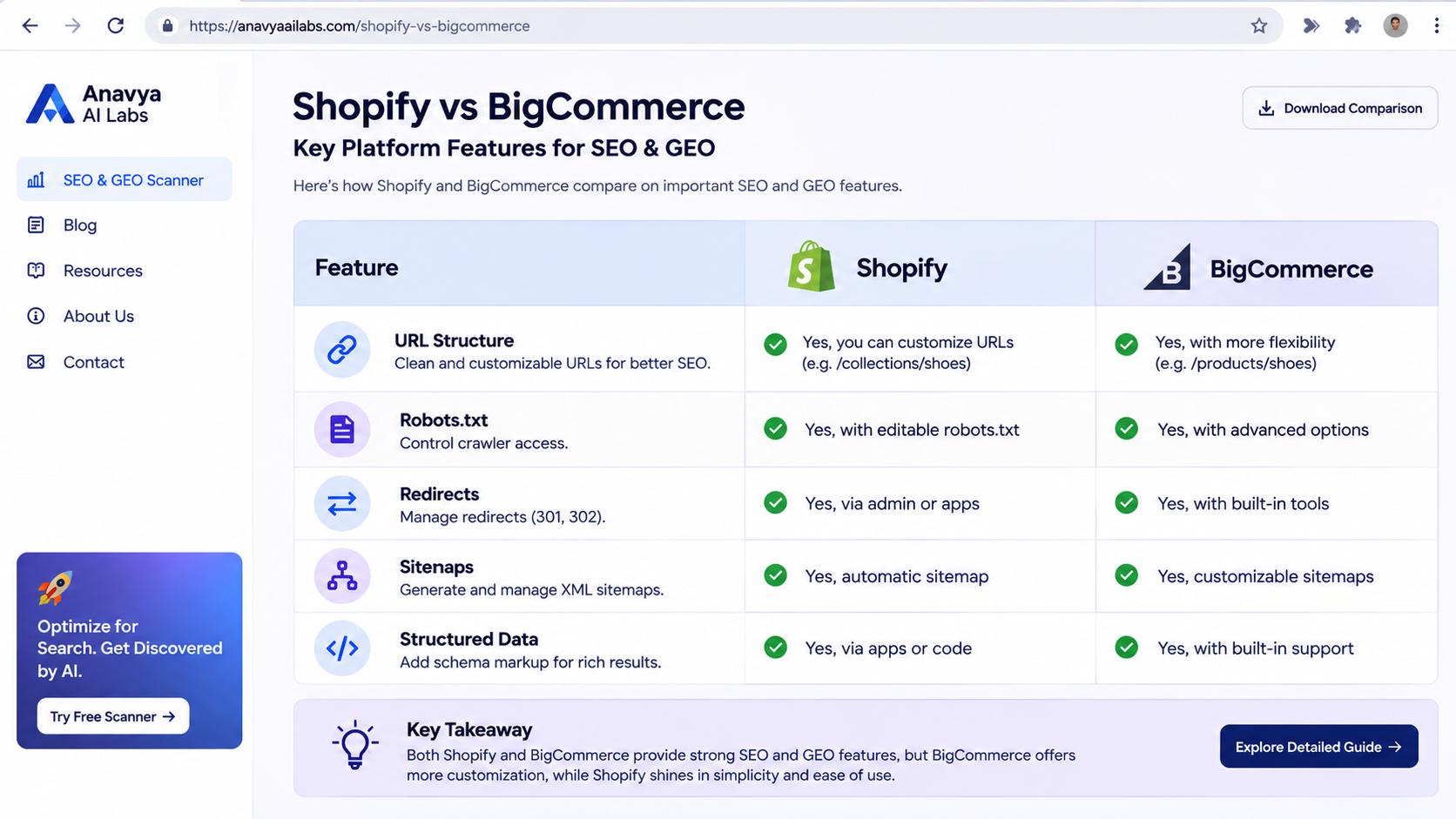
Verify each area in your own admin and theme, because the same platform can behave differently with different themes and apps.
URL Structure and Its Trade-Offs
URLs are one of the first things search engines and people read. A clear, descriptive URL helps both understand a page before they open it. Both platforms generate URLs for products and categories, and both let merchants set custom values in many cases, but the defaults and the options differ.
On Shopify, product and collection pages follow a standard path structure. Merchants can customize handles, which are the slug part of the URL, and can set up redirects when handles change. The default structure is consistent, which simplifies planning, but it may not match every information architecture a merchant wants.
On BigCommerce, merchants can typically define custom URLs for products and categories, which gives more flexibility in structuring the path. More flexibility also means more decisions, and the structure should be planned before the catalog grows, so that changes do not create a large number of redirects later.
Whichever platform you use, the rule is the same: choose a structure that describes the content, keep it stable, and redirect carefully when it must change. Changing URLs without redirects is one of the most common ways stores lose search visibility.
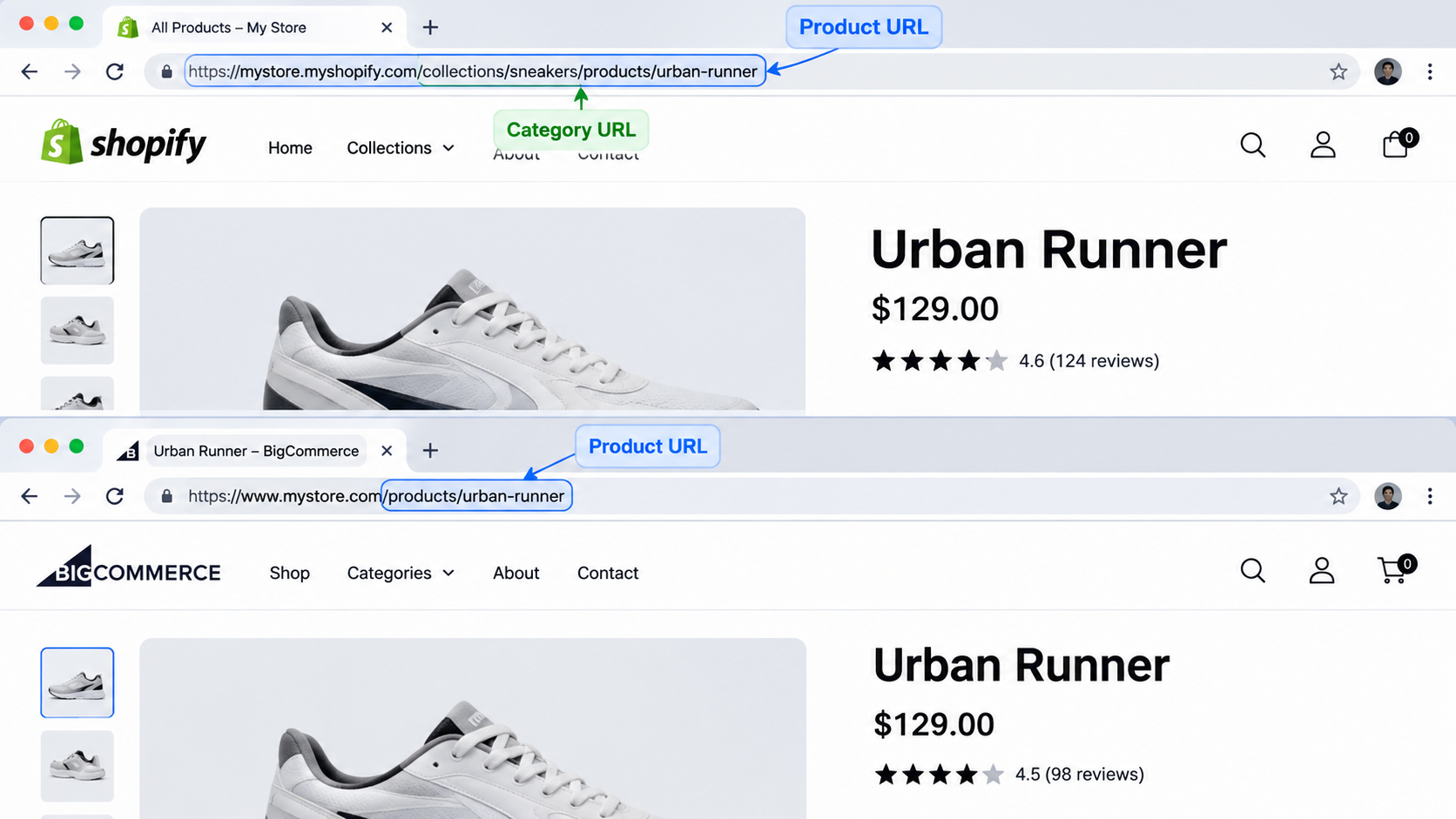
A stable, descriptive structure is easier to maintain than one that changes with every catalog update.
Crawl Rules and robots.txt
The robots.txt file tells crawlers which parts of a site they may request. It is one of the most important controls for an ecommerce store, because filtered, sorted, and internal search pages can create large numbers of near-duplicate URLs that waste crawl effort.
The ability to edit robots.txt differs by platform and sometimes by theme. Merchants should confirm whether they can add custom rules, whether those rules persist through theme updates, and whether they can apply different rules to different crawlers. This matters for AI crawlers as well, since each agent may be treated differently. The robots.txt guidance in our other articles applies to both platforms: allow the public pages you want cited, protect private areas, and make a deliberate choice about training crawlers.
Check the file on your live store after every theme change. A theme update can replace a custom file or add rules you did not intend, and the change may not be visible unless you check.
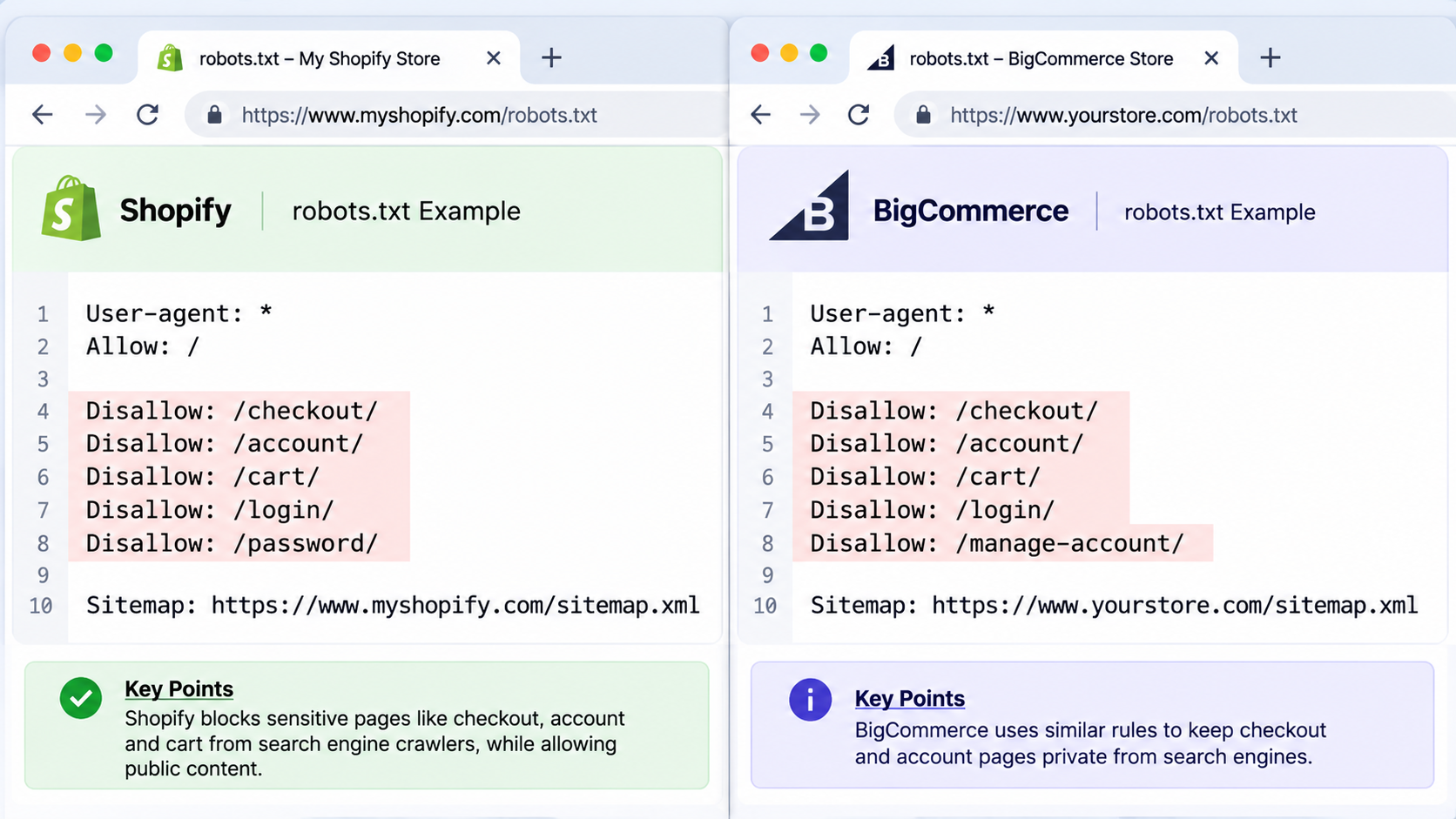
Rules for checkout, account, and internal search paths keep crawl effort on pages that should be discovered.
Redirects and Migration
Redirects preserve search equity when URLs change. They are essential when you rename products, merge categories, discontinue items, or move to a new platform. Both platforms support URL redirects, and both allow bulk import for large catalogs, which is critical when many URLs change at once.
When comparing platforms, check how redirects are created and tested, how many can be imported at a time, and how they appear in your reports. A migration plan should map every old URL to a new destination, test a sample of redirects before launch, and monitor errors after launch. Redirect chains, where one redirect points to another, should be avoided because they slow crawling and can dilute signals.
The redirect process is the same regardless of platform. The difference lies in how efficiently you can manage it at your catalog size.
Sitemaps and Discovery
Both platforms generate sitemaps automatically. A sitemap lists the URLs you want search engines to discover, and an accurate one helps new and updated pages get found more quickly.
Merchants should verify what the generated sitemap contains. It should include the products, collections, and content pages you want indexed, and it should exclude pages that are duplicated, filtered, or private. If the generated sitemap includes low-value URLs, the cause is usually a setting, a filter, or an app, and the fix is to address that source rather than to edit the file directly.
Submit the sitemap to the search engines you use, and check the reports for errors, excluded URLs, and crawl issues on a regular schedule.
Structured Data for Products
Structured data describes products in a machine-readable format. For ecommerce, the most important type is Product, which can include name, description, image, price, availability, and reviews. When the markup is accurate and matches the visible page, it helps search engines and other systems understand what you sell.
Structured data on both platforms depends heavily on the theme. Some themes output complete product markup, while others output partial or no markup. Apps can add markup, but they can also add duplicates or conflicts. Before choosing a platform or a theme, check the source of the page, validate a sample of product pages with a schema validator, and confirm that the price, availability, and review data match what visitors see.
Duplicate or conflicting markup is a common issue on stores that have added several apps over time. A single, accurate source of product markup is easier to maintain and less likely to cause errors.
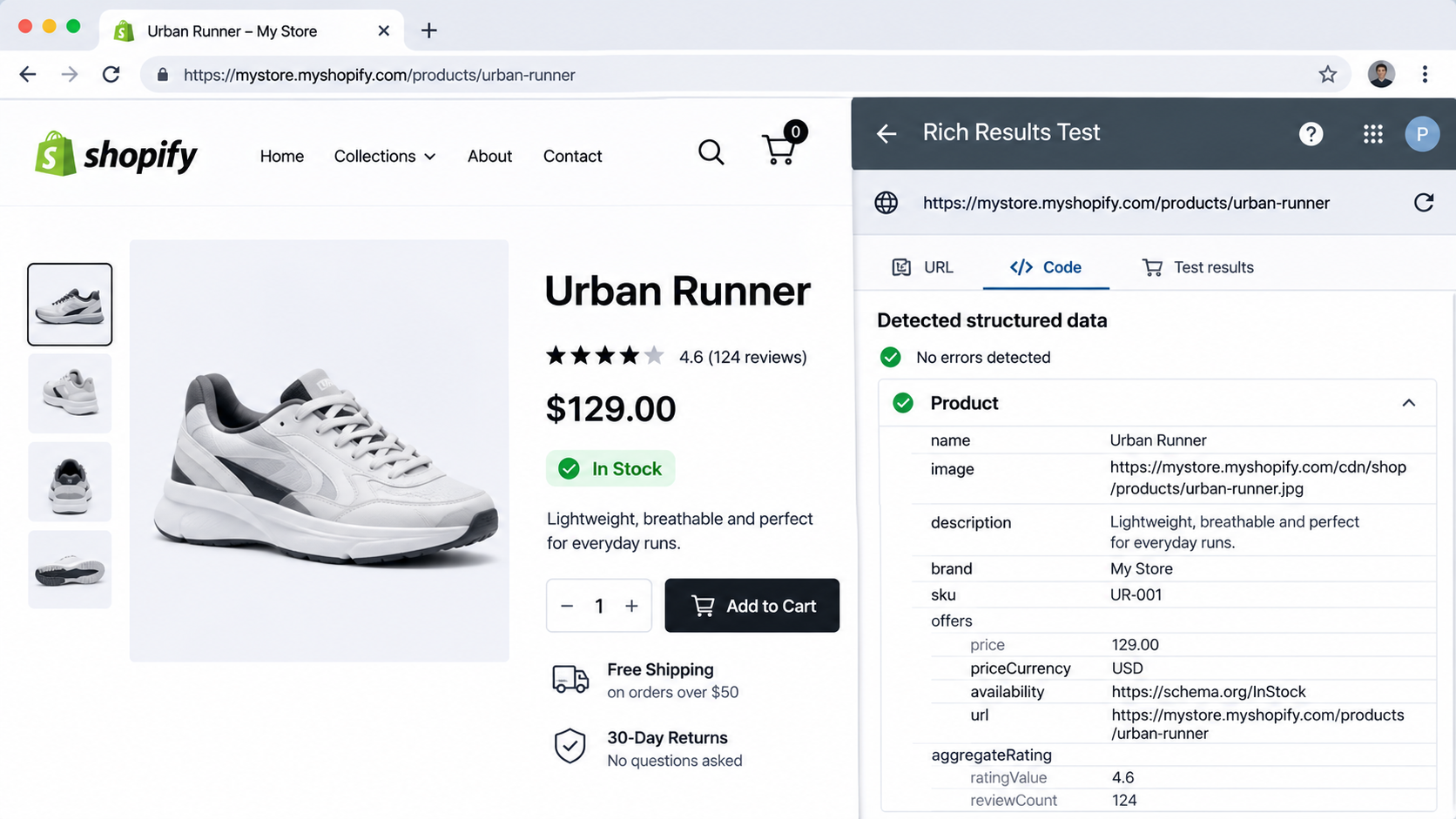
Product markup should match the visible page exactly, including price and availability.
Page Speed, Themes, and Apps
Speed affects crawling, user experience, and conversion. On both platforms, the largest influences on speed are usually the theme, the number of apps, and the size of images and scripts, rather than the platform itself.
A lean theme with a small number of well-maintained apps is easier to keep fast. Each app can add scripts, styles, and requests, and the cumulative effect can be significant. Review your apps periodically, remove those you no longer use, and test the performance of key templates after installing a new one.
When you compare platforms, compare the same theme and the same set of apps where possible, so the results reflect the platform rather than the choices layered on top of it.
AI Crawler Access and Visibility
AI systems find content through crawlers, and they can only cite what they can access. Store owners should confirm that the agents they want to allow can reach product, collection, and content pages, and that checkout, account, and cart pages are protected.
Check the robots.txt file, meta robots directives on key pages, CDN and bot management settings, and the response to crawler user agents. A store behind a bot-protection layer may block legitimate crawlers unless the rules are configured with care. These checks are the same on both platforms, although the place where you change them differs.
Visibility also depends on the content itself. Product descriptions that state specifications clearly, category pages that explain what they contain, and buying guides that answer common questions are easier for any system to use. Consistent business information across the site, marketplaces, and directories supports the same goal.
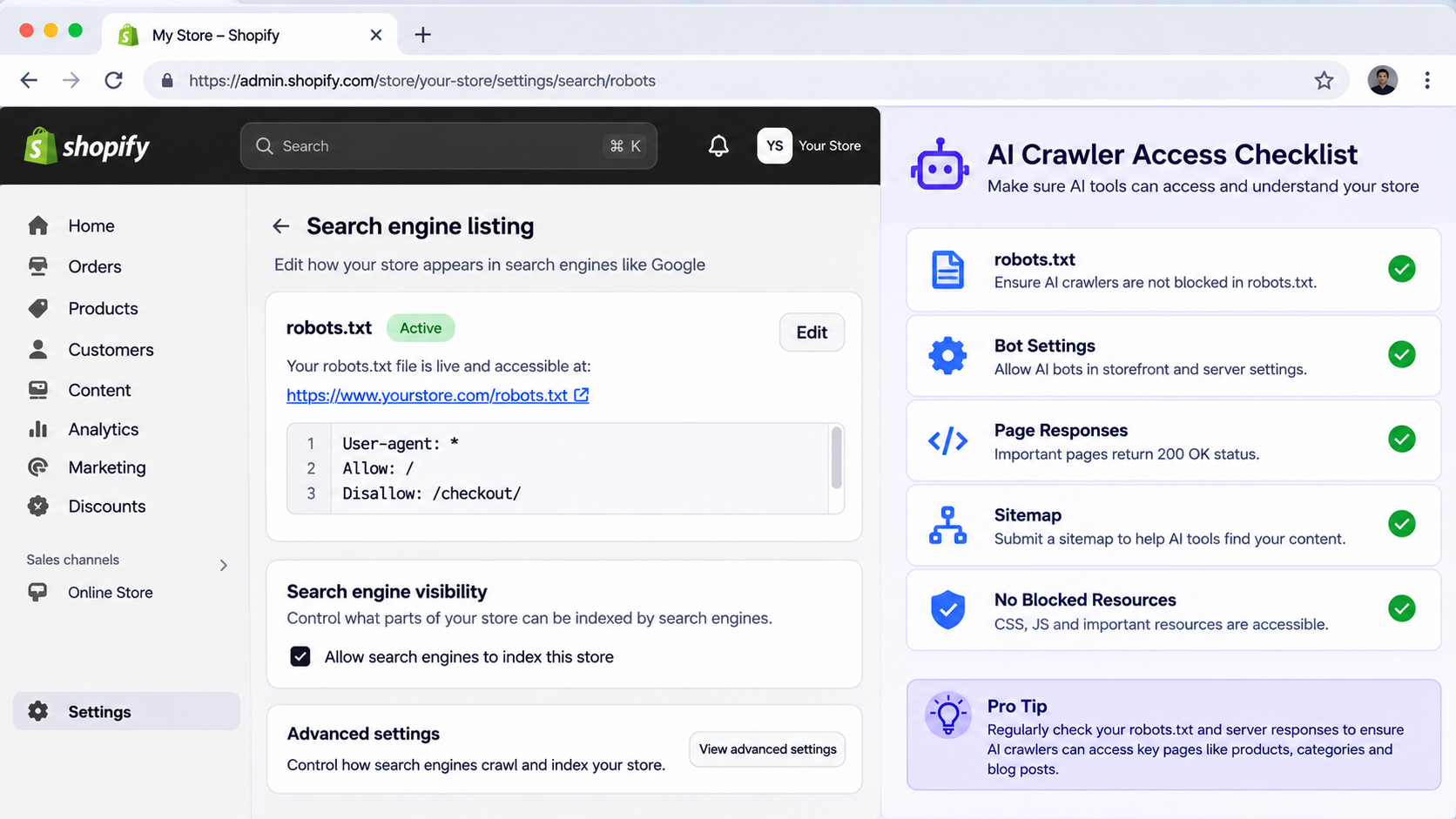
Confirm that the crawlers you want can reach product and content pages, and that transactional pages stay protected.
How to Run the Comparison on Your Own Store
A useful comparison uses the same method on both platforms, so that differences reflect the platform rather than inconsistent testing. The method below applies whether you are choosing a platform or reviewing your current one.
First, define the store scope. Select a set of representative pages: the homepage, several product pages across categories, a few collection pages, and key content pages. Include pages with different levels of complexity, such as products with variants and products without them.
Second, collect the same signals on each platform. Record the URL structure, the robots.txt rules, the redirect behavior for a sample of changed URLs, the sitemap contents, the structured data output for the sample pages, and the response to crawler user agents.
Third, score each area using the same criteria. Use a simple scale, such as pass, partial, or fail, and write a short note explaining the evidence for each result. Scoring without notes makes it difficult to revisit decisions.
Fourth, repeat the measurements after changes. Store data changes, theme updates, and app installs all affect results, so a comparison is most useful when it is repeated on a schedule.
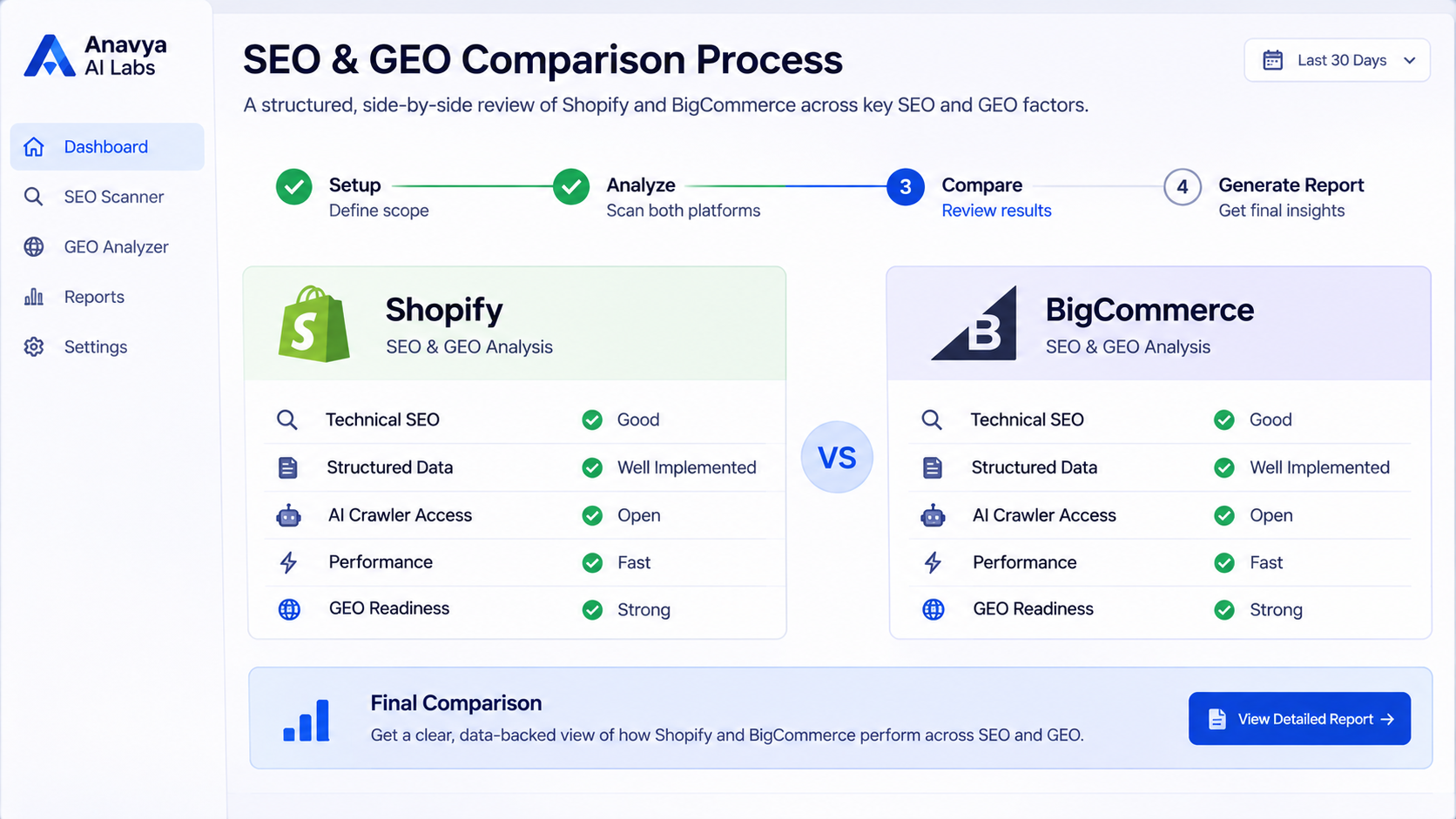
Use the same sample, the same signals, and the same criteria on each platform so the comparison is fair.
Adding Your Scan Results
This article describes the comparison method and the capabilities to verify. It does not report scan results, because the findings depend on specific stores, themes, and apps. If you run the comparison on your own stores, record the results in a consistent format, such as the one below, so they can be reviewed and repeated.
For each platform, record the date of the scan, the store and theme tested, the number of pages sampled, and the outcome for each area. Include a short description of any issue found, the page where it appeared, and the fix that was applied or is planned. Results recorded this way are easier to compare over time and easier to share with a team.
Where results are published, state the scope, the date, and the method. Readers can then judge how far the findings apply to their own situation.
Frequently Asked Questions
Which platform is better for SEO? Neither platform is better in every case. The better choice depends on your catalog, your URL requirements, your theme options, and the apps you need. Compare both using the same method on a representative sample.
Can I make the same changes on both platforms? Most core changes, such as titles, descriptions, redirects, and robots.txt rules, are possible on both, but the method and the limits differ. Check the current options in each platform before planning a change.
Does the theme matter more than the platform? In many cases, yes. The theme controls much of the markup, speed, and page structure. A poorly chosen theme can limit results on any platform, and a well-built theme can perform well.
How do apps affect SEO and GEO? Apps can add useful features, but they can also add scripts, duplicate markup, and additional URLs. Review your apps regularly and remove those you do not need.
Do I need to change platforms to improve visibility? Not necessarily. Many visibility problems can be solved on the current platform through configuration, content, and technical fixes. A platform change is a significant decision that should be justified by your business needs, not by a single metric.
How often should I review my store? Review key areas monthly, and run a full comparison after any major change to the theme, apps, or catalog structure.
Conclusion
Shopify and BigCommerce both support strong search visibility when they are configured carefully. The most useful comparison looks at URL structure, crawl control, redirects, sitemaps, structured data, speed, and AI crawler access, using the same sample and the same criteria on each platform.
Start by verifying the capabilities in your own admin and theme, then run the comparison on a representative set of pages. Record the results, repeat the measurements after changes, and decide based on the evidence from your own store rather than on general claims.
Key Takeaways
- Compare platforms on the same areas: URL structure, crawl rules, redirects, sitemaps, structured data, speed, and AI crawler access.
- The theme and installed apps shape results as much as the platform does, so compare with comparable setups.
- Verify robots.txt, redirect handling, and structured data on live pages, not only in documentation.
- Use a representative sample and consistent criteria, and record the evidence behind every result.
- Repeat the comparison after changes, and base platform decisions on results from your own store.


