
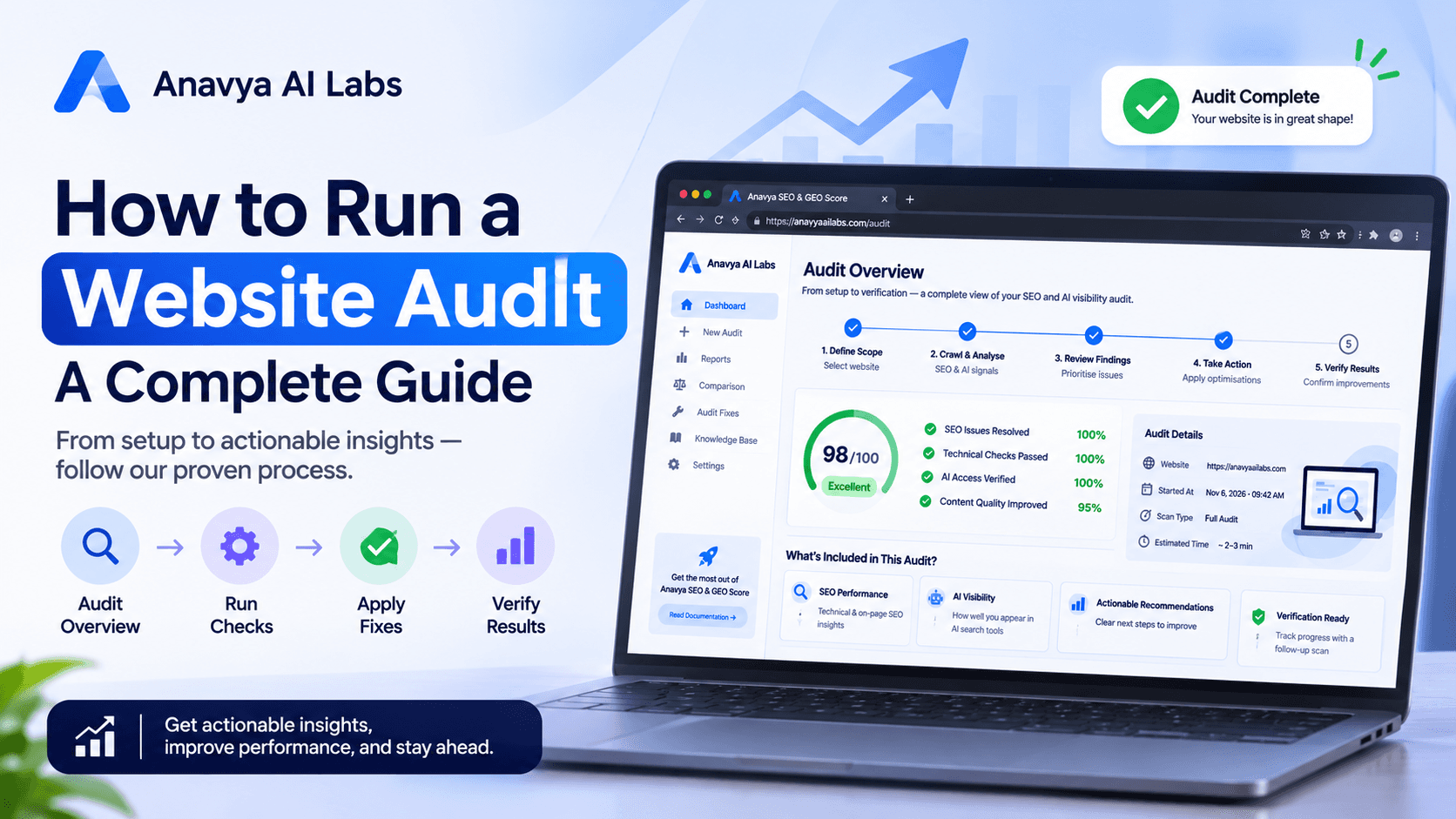
It is easy to recommend an audit to a client and harder to apply the same standard to your own website. Our team builds tools that check websites for SEO and AI search visibility, so we were under pressure to get our own house in order. A website that fails the checks we ask others to fix would undermine everything we say.
This article describes how we audited our own site, what we found, what we fixed, and what we learned. We have kept the process as concrete as possible, because the value of an audit lies in the method and the follow-through, not in the headline numbers.
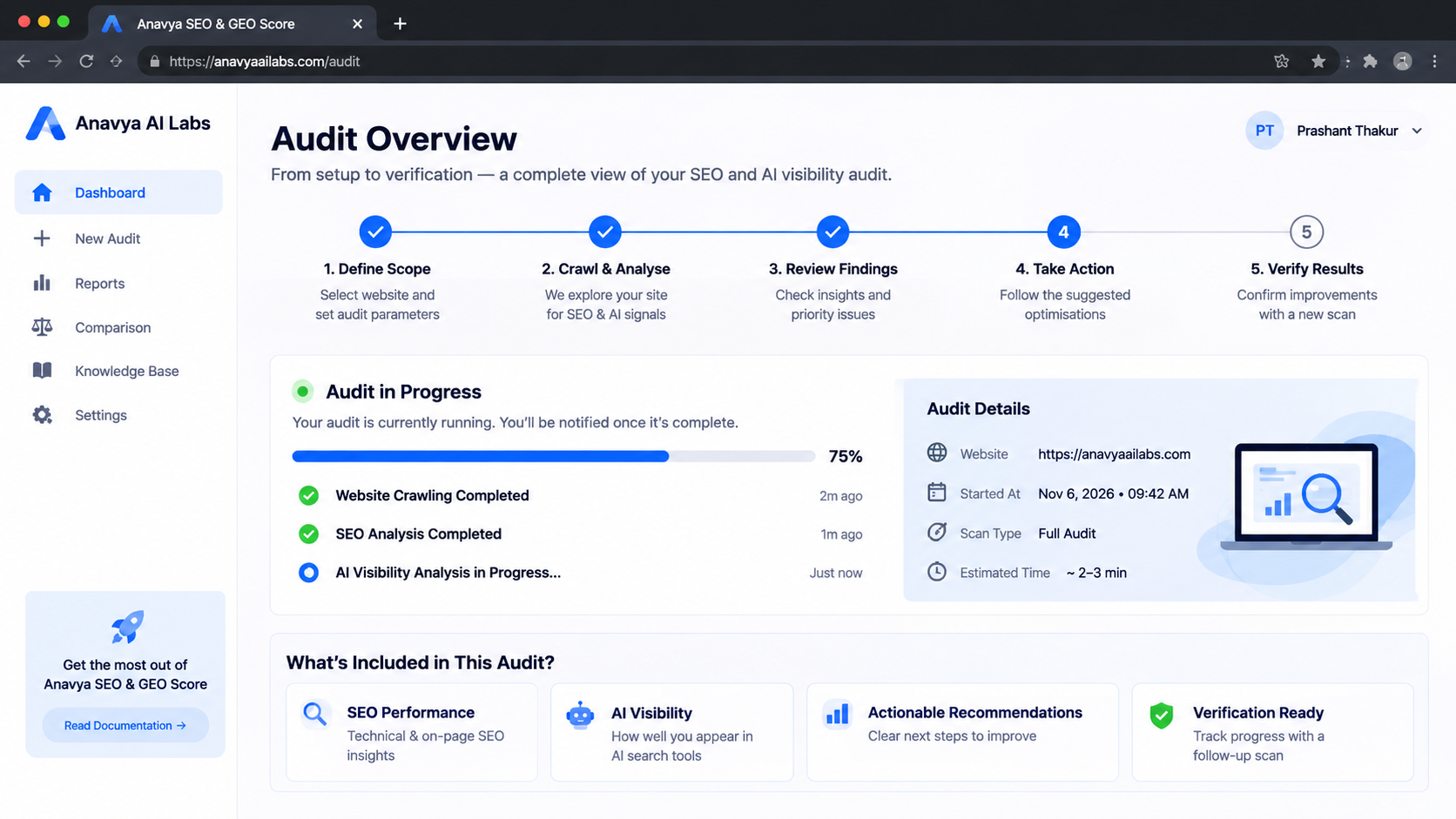
We followed the same sequence we recommend to clients: define the scope, collect evidence, prioritize, fix, and verify.
Why Audit Your Own Site
Auditing your own website has specific risks. Teams tend to know their site too well, so they overlook problems that a new visitor or a crawler would notice immediately. They also assume that a site they built carefully must be in good shape, and they are reluctant to look for evidence that it is not.
We approached the audit with three rules. First, we treated the site as if it belonged to a client, and applied the same checks we use in our own client work. Second, we looked at the site as a crawler and as a visitor would, not as its builders. Third, we did not fix anything until we had documented the evidence for it.
Step 1: Define the Scope
Before collecting any data, we decided what the audit would cover. The site contains a homepage, product and service pages, a documentation area, a blog, and account and administrative areas. We excluded the administrative and account areas, because they are private and are not meant to be crawled or indexed. We included everything else.
Defining scope early prevented two common problems. It stopped the audit from expanding indefinitely, and it made the results comparable when we repeated the audit later.
Step 2: Collect Evidence
We collected evidence in four areas, using the same methods we apply to client sites.
Crawl and indexing. We ran a full crawl of the public pages, recording status codes, redirects, canonical tags, meta robots directives, and the presence of titles and descriptions. We compared the crawl results with the pages we intended to be indexed.
Technical and performance. We checked page load behavior on the main templates, the size of images and scripts, and the stability of layouts on mobile and desktop. We also reviewed how the site responded to requests from common bots, because a configuration error can affect crawling without any visible sign.
AI crawler access. We reviewed the robots.txt file, the page-level directives, and the server and content delivery network rules that could affect AI agents. We tested how the site responded to requests that identified themselves as several AI crawlers, and we checked whether key content was present in the initial HTML.
Content and entity consistency. We reviewed the homepage, the About page, the product descriptions, and our profiles on third-party platforms. We checked whether the company description, the list of services, and the contact details matched across these sources.
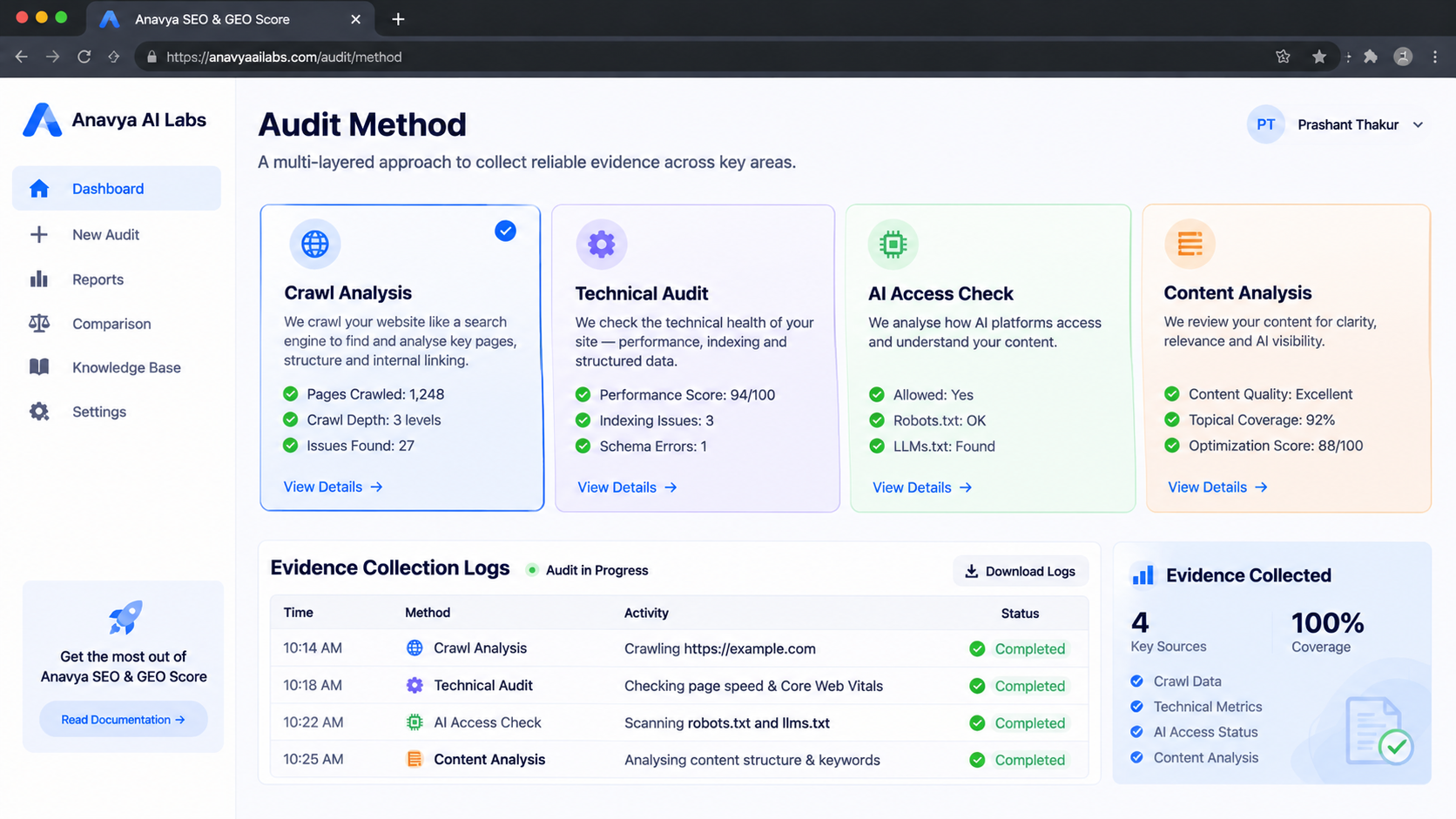
We collected evidence in four areas and recorded each result before deciding what to change.
Step 3: Document What We Found
The audit surfaced issues in several categories. We describe them here by type rather than by exact count, because the important lessons apply regardless of the number. The problems fell into five groups.
Inconsistent descriptions. Our company description and service list were worded differently on the homepage, in the About section, and on some third-party profiles. The inconsistency was minor in each case, but together it made our identity less clear, which is exactly what AI systems and readers rely on.
Pages that were harder to read than they should be. Some explanatory pages opened with background before stating what the page offered. Key facts appeared in the middle of long paragraphs, and some statements had no date or attribution. These pages were accurate, but they were not structured for quick extraction.
Template-level metadata gaps. A small number of templates generated titles and descriptions from defaults rather than from page-specific content. Pages built from those templates looked similar to search engines and to readers, which weakened their individual relevance.
Configuration that could block crawlers unintentionally. Our bot-management settings and a legacy rule in the file were broader than we intended. They did not block our main pages, but they applied to some AI agents in ways we had not chosen deliberately.
Performance on heavier pages. A few pages carried large images and unnecessary scripts. The effect on user experience was noticeable on slower connections, and it made those pages less efficient to crawl.
Recording these categories, with the evidence behind each one, was more useful than a single score. It let us see which problems were systemic and which were isolated.
Step 4: Prioritize
We ranked the findings using two factors: how much each issue affected visibility or usability, and how much effort the fix required. We placed the configuration issues first, because they could block access and were quick to correct. Template-level metadata came next, because one change fixed many pages. Content structure and consistency followed, because they required editorial work. Performance improvements were scheduled last, because they needed development time and careful testing.
The prioritization reflected one principle: fix the things that stop systems from reaching the site before polishing the things they read once they arrive.
Step 5: Fix What We Found
We made changes in the order of priority, and we recorded each one with its owner and the check that would confirm it.
Configuration first. We corrected the bot rules so that the agents we intended to allow could reach our public pages, and we limited the broader rules to the private areas that should be protected. We tested each change by requesting the affected pages with the relevant user agents and by confirming the robots.txt file loaded correctly.
Templates second. We updated the page templates so that titles and descriptions were generated from each page's own content, with a required field for the description on pages where it mattered. We then reviewed a sample of pages from each template to confirm the output was correct, rather than trusting the change blindly.
Content third. We rewrote the opening of our key explanatory pages to state the purpose and the main facts in the first paragraph. We added dates to pages that had been updated, attributed claims where they were made, and aligned our company description across the homepage, the About page, and our main profiles.
Performance last. We compressed large images, removed scripts that were not in use, and set size limits for future uploads. We tested the affected pages on mobile connections before and after the change.
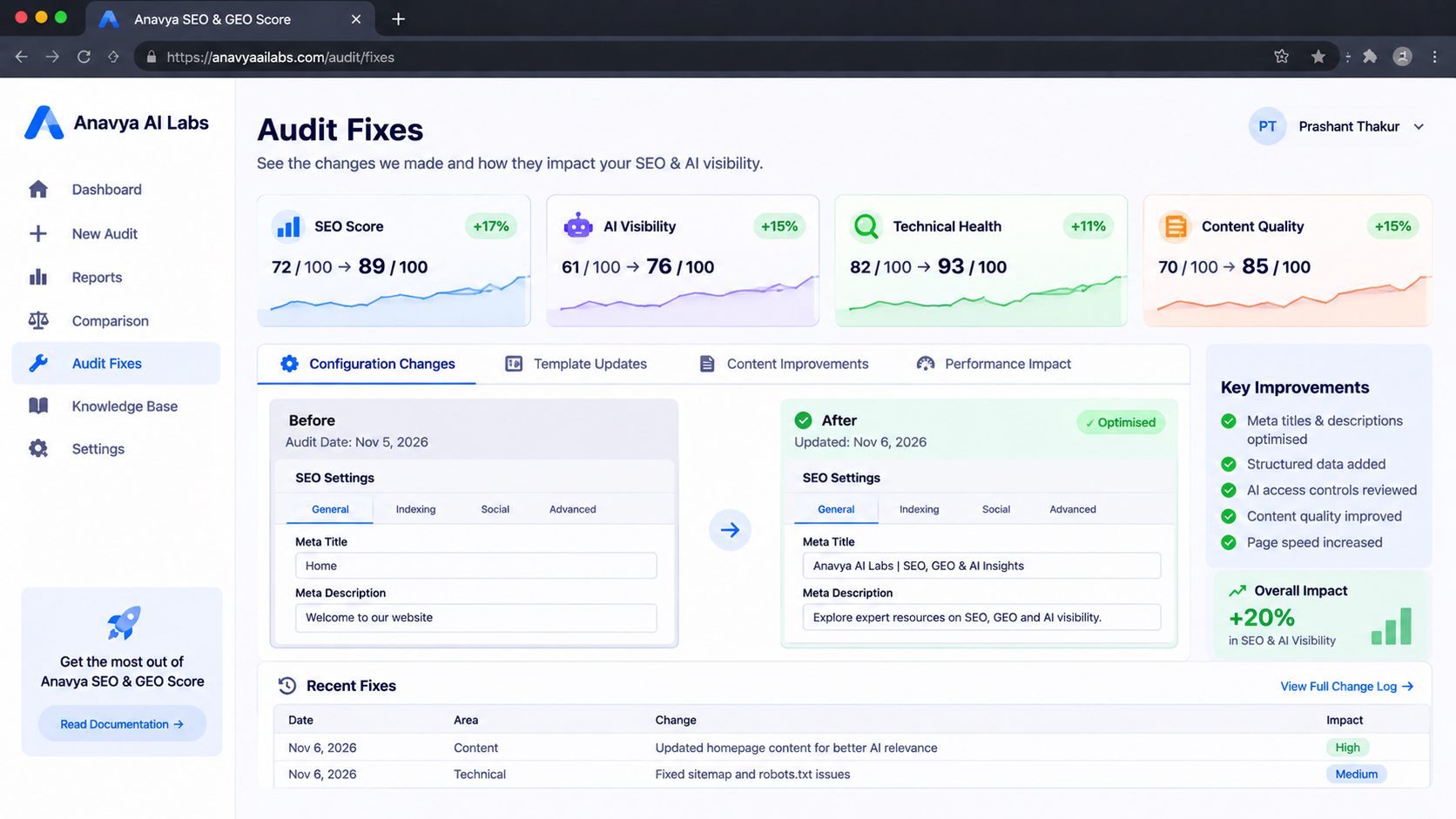
We fixed the highest-priority issues first and verified each change before moving to the next.
Step 6: Verify the Results
Fixing an issue is not the same as confirming that it is fixed. We verified each change in three ways.
First, we reran the crawl and compared the new results with the evidence from the original audit. Second, we tested the specific behaviors we had changed, such as the response to each relevant user agent and the presence of key content in the initial HTML. Third, we reviewed our server logs over the following weeks to confirm that the crawlers we intended to allow were visiting the pages we intended them to reach.
Verification also surfaced two problems we had introduced. One template change initially produced descriptions that were too short on a few pages, and one content rewrite removed a link that several pages depended on. We caught both during the recheck, and we fixed them before closing the audit. This is why verification is part of the process, not an afterthought.
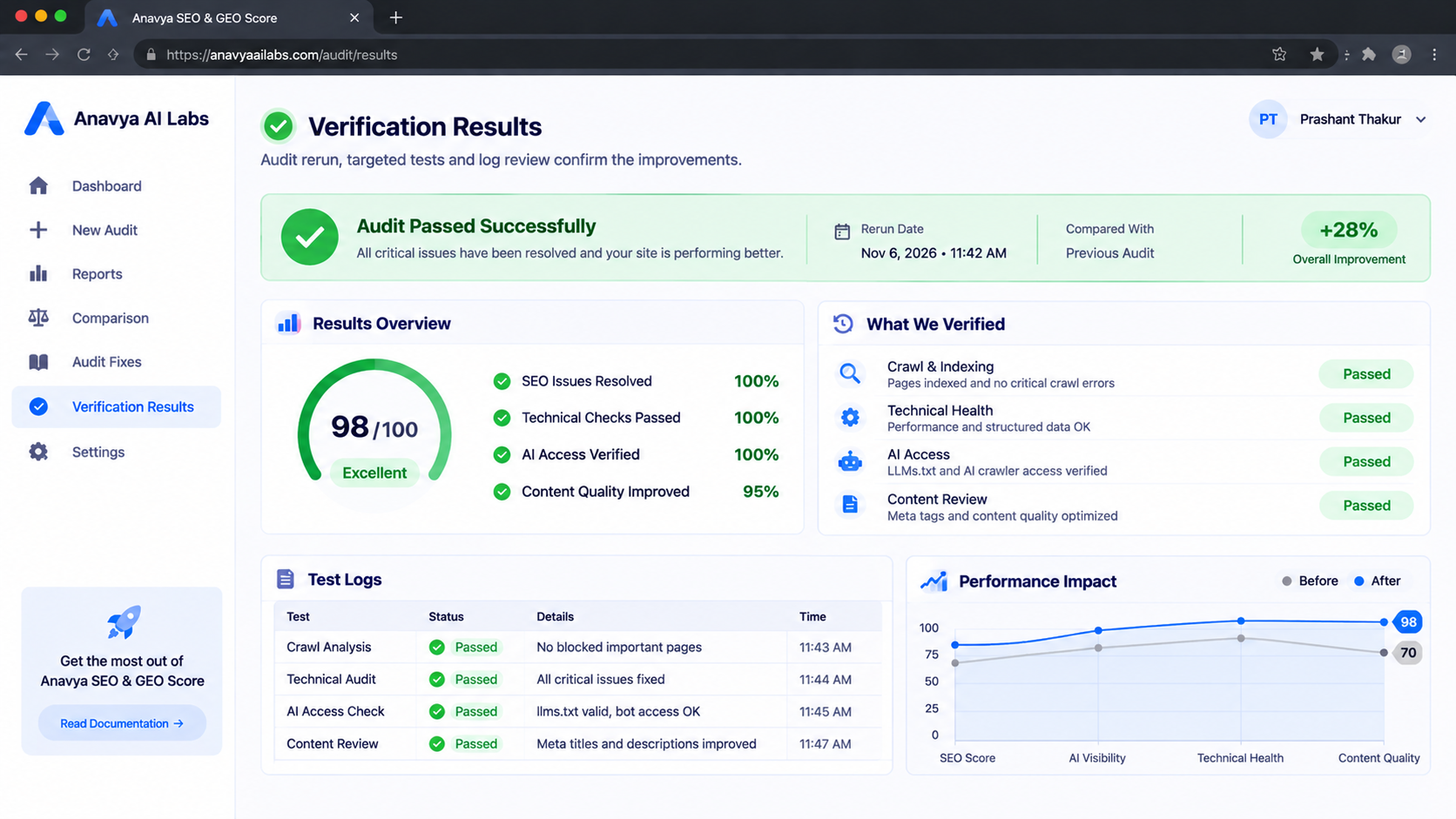
Verification checks the fix itself and also catches new problems the fix may have created.
What We Learned
The most useful lessons were practical rather than dramatic.
Consistency is an underrated signal. The inconsistent descriptions were small, but they weakened the clarity of our identity. Aligning them was one of the cheapest and most valuable changes we made.
Configuration issues hide in plain sight. Bot rules and legacy directives were easy to forget because they did not produce visible errors. Auditing them requires testing, not just reading the files.
Templates multiply both good and bad decisions. A single template change affected many pages, which made it the highest-leverage fix and also the easiest place to introduce a new problem.
Verification prevents false confidence. Every change we made had at least one error or side effect that we would have missed without a recheck.
Documentation makes the work repeatable. Recording the scope, evidence, priorities, and owners means the next audit will be faster and more comparable.
How We Now Run Audits
We now repeat the audit on a schedule, using the same scope and the same methods, so that results can be compared over time. We keep a short record of each finding, the change made, and the verification result. We also review the audit whenever we launch a significant new section of the site, because new content can introduce the same kinds of problems we fixed the first time.
The audit is not a one-time project. It is part of how we maintain the site, in the same way we ask our clients to maintain theirs.
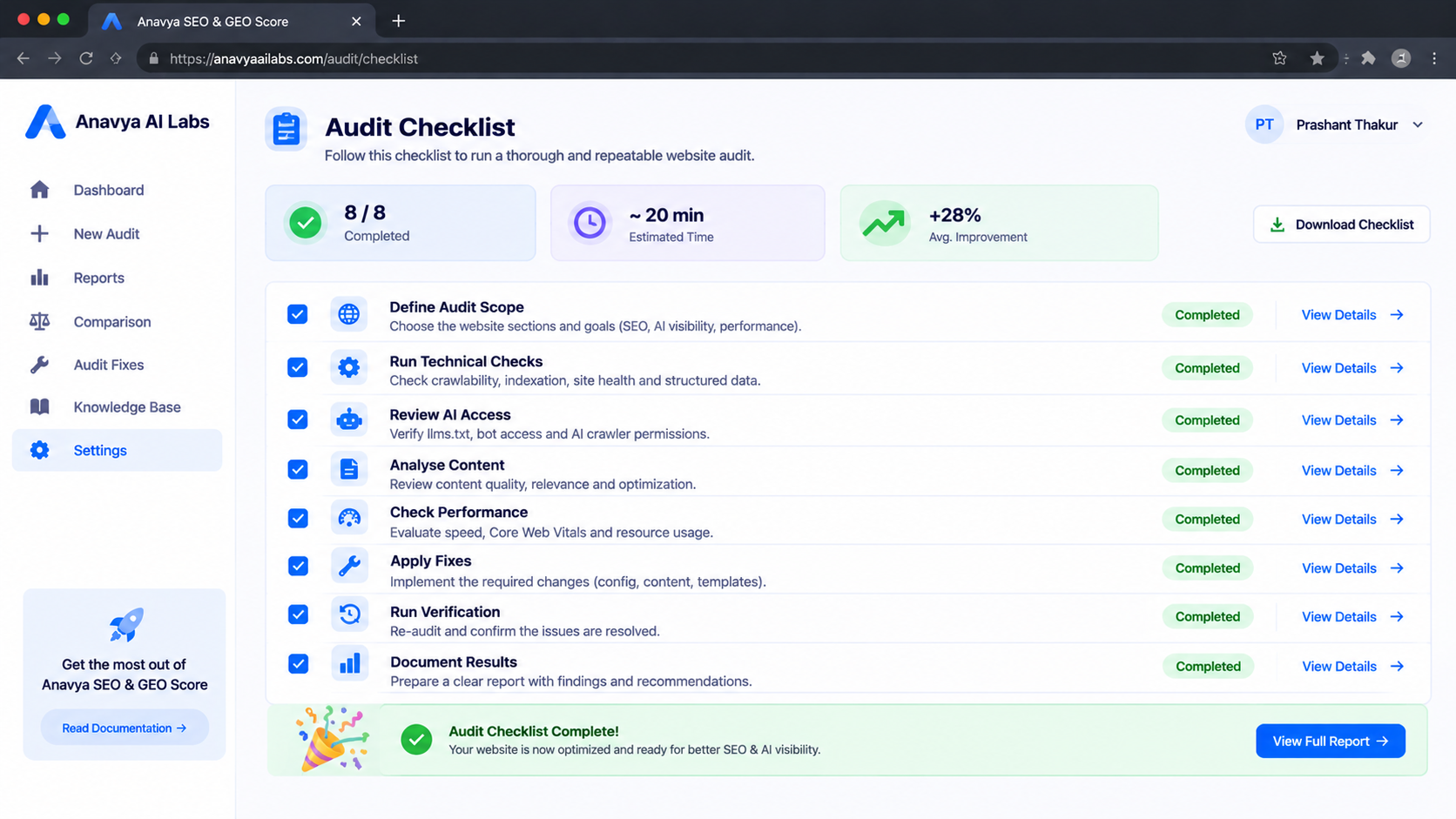
A repeatable audit defines its scope, collects evidence, prioritizes, fixes, verifies, and documents each step.
Frequently Asked Questions
Is it worth auditing a small website? Yes. Smaller sites often have fewer pages, which makes the audit faster and the fixes easier to verify. The same categories of issues apply.
How long did the audit take? The duration depends on the size of the site and the depth of the checks. The important part is not the length of the audit but the discipline of recording evidence and verifying changes.
Should I fix everything at once? No. Prioritize the issues that block access or affect many pages first. Verify each change before moving on, so that you can tell which change produced which result.
Do I need special tools? Not necessarily. A crawler, a browser, a few command-line checks, and your server logs are enough to start. Dedicated tools make the work faster and more repeatable.
What is the most common problem you found? In our experience, inconsistent identity information and configuration rules that block crawlers unintentionally are among the most common issues, because neither produces an obvious error for visitors.
Conclusion
Auditing our own site was humbling, and useful for that reason. We found problems that we had not noticed, including small inconsistencies and configuration rules that had been left in place. Fixing them taught us as much about process as about the site itself.
The method is the important part. Define the scope, collect evidence, document each finding, prioritize by impact and effort, fix in order, verify every change, and repeat the audit on a schedule. Apply that method to your own site before asking anyone else to do it.
Key Takeaways
- Audit your own site with the same standards you apply to clients, and treat it as a client's site rather than your own.
- Define the scope and collect evidence across crawl, technical, AI access, and content areas before changing anything.
- Prioritize issues that block access first, then template-level problems, then content, then performance.
- Verify every change, because fixes can introduce new problems that only a recheck will reveal.
- Repeat the audit on a schedule and record findings so that results remain comparable over time.


